
Building and maintaining a website is a tall order in itself. There are multiple technical components to remember. One such integral part is a subdomain.
A subdomain is more than just an additional section of your website; it’s a powerful tool that enables you to create a distinct, standalone entity within your site.
Whether you’re launching a blog, an e-commerce store, or a regional version of your primary site, a subdomain can help you manage and organize content more effectively while enhancing the user experience.
In this comprehensive guide, we’ll cover everything you need to know about subdomains—from what they are and how to use them to common examples and their impact on your SEO.
What Is a Subdomain?
A subdomain is an extension of your main website’s domain name. It is used to create a separate section within the same website. This subdomain acts like a directory but is treated as a distinct site by search engines.
For example, in “support. big rock.” in, “support” is the subdomain, and “bigrock.com” is the main domain.
Subdomains help organize content (e.g., blogs, eCommerce stores, support sections, etc.) without adding a new domain.
How to Use Subdomains?
Subdomains are a handy way to keep your website organized, help people find you, and improve the experience for your visitors.
Whether you’re expanding your site, trying out new ideas, or managing different parts of your business, subdomains give you the flexibility to make it all work.
Here are a few ideas on what subdomains are used for:
1. Keep Things Organized
- Create Separate Areas: Subdomains let you split your website into different sections. For example, you might have blog.yourwebsite.com for your blog and shop.yourwebsite.com for your store. Each one works like its own mini-website but still connects to your main site.
- Reach Different Audiences: You can create subdomains to speak directly to specific groups of people. For instance, international.yourwebsite.com could be for visitors from other countries, with content just for them.
2. Help Potential Customers Track You Down Easily
- Get Found on Search Engines: Search engines treat subdomains like separate websites. This can help you show up in more searches. For example, having a subdomain focused on a specific topic could make it easier for people to find that content.
- Make Your Site Easier to Use: By putting different content on separate subdomains, your site becomes easier to navigate. People can find what they need without getting lost.
3. Manage a Growing Site
- Handle More Content: If your website is getting bigger, it can be tough to keep everything organized. Subdomains let you split up the work and keep things running smoothly.
- Share the Load: You can assign different parts of your site to different people. For example, your support team could manage support.yourwebsite.com, while your marketing team takes care of blog.yourwebsite.com.
4. Try New Ideas
- Test Without Risk: Subdomains are great for trying out new ideas without messing up your main site. For example, beta.yourwebsite.com could be where you test new features before making them public.
- Run Special Campaigns: Launching a new product or running a special promotion? You could use a subdomain like promo.yourwebsite.com to focus just on that event.
5. Improve User Experience
- Customize for Different Regions: If you have customers in different countries, you can create subdomains like us.yourwebsite.com and uk.yourwebsite.com. This way, you can tailor your content to each region.
- Offer Special Content: Use subdomains to create exclusive areas for certain users. For instance, premium.yourwebsite.com could offer special features for paying members.
6. Mix and Match Tools
- Use Different Software: Sometimes, you might need different tools for different parts of your site. For example, your blog might be on WordPress, but your store might use Shopify. Subdomains like shop.yourwebsite.com let you do this without any problems.
- Keep Sensitive Information Safe: If you have parts of your site that need extra security, like a payment page, you can put them on a subdomain like secure.yourwebsite.com.
7. Build Your Brand
- Give Each Part of Your Site Its Own Identity: Subdomains let you give different areas of your business their own unique look. For example, careers.yourwebsite.com could focus on job openings, with a design that feels separate from your main site.
- Make URLs Easy to Remember: Clear, simple subdomains like help.yourwebsite.com make it easy for people to find what they need.
8. Support Multiple Languages
- Speak Your Customers’ Language: If you have customers in different countries, you can use subdomains to serve them in their own language. For example, fr.yourwebsite.com could offer your site in French, while es.yourwebsite.com could be in Spanish.
9. Boost Email Campaigns
- Create Special Landing Pages: Subdomains let you set up pages just for your email campaigns. For instance, offers.yourwebsite.com could be where you send people to check out special deals.
- Improve Email Delivery: Sending emails from a subdomain like mail.yourwebsite.com can help make sure your messages get through to your customers.
10. Track What Works
- See How Users Behave: Subdomains allow you to see what people do on different parts of your site. For instance, you can check how your online store is performing without mixing those stats with your main site’s numbers. The idea is to analyze what’s working and what might need adjustments, separately.
- Measure Campaign Success: If you run different marketing campaigns, using subdomains helps you see which ones are hitting the mark and which ones aren’t. This way, you can fine-tune your approach based on clear, separate data as well as insights.
11. Keep Your Site Safe
- Protect Sensitive Information: If you handle sensitive information (think: customer payment details for instance), using a subdomain helps keep said data out of the hands of cyber criminals. It’s a smart way to separate sensitive information from other parts of your site.
- Secure Your Subdomains: You can boost the safety of your subdomains by adding features such as an SSL certificate for your specific subdomains. Doing so ensures that your user information stays secure and helps build trust with your visitors in the long run.
When to Use Subdomains? 7 Ideas + Tips/ What Are Subdomains Used For?
Subdomains can make managing your website easier and help you scale up in smart ways. Done right, you can easily split your site into different sections, each with its own focus. Here are a few tips you can leverage to use subdomains optimally:
Tip #1: Use It to Create a Separate Blog Section
Why It Works: Keeping your blog on a subdomain like blog.yoursite.com helps keep your main site clutter-free. This way, your product pages stay clean and focused on sales while your blog attracts readers with relevant, highly-meaningful content.
Tips:
- Pick relevant keywords: Choose a name that reflects your blog’s focus and drives better SEO performance.
- Stay consistent: Keep the design similar to your main site to keep the look and feel consistent.
- Mix it up: Use the blog to test various content types, such as how-to guides, industry news, etc. and analyze what engages your audience the most.
- Link back: Regularly connect your blog content to your main site to drive traffic both ways.
Example: Consider the blog section for Vitable as shown below that posts about various health-related topics such as immunity, nutrition, lifestyle, etc. Users can take a quiz to understand which product to buy:
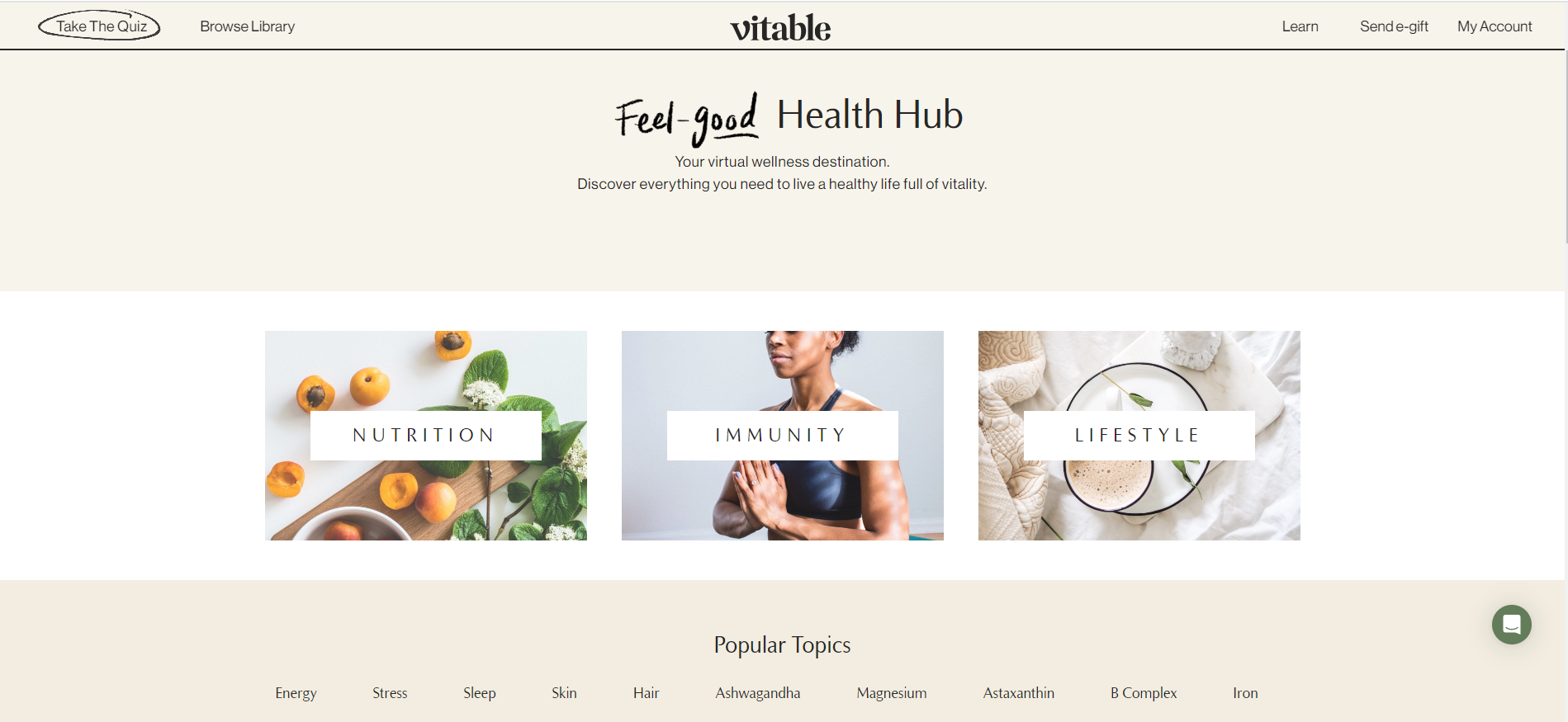
The takeaway: Keep your educational-oriented blog and product shop sections separate as they cater to audiences with different intents.
Tip #2. Add an Online Store and Give Customers a Focused Shopping Experience
Why It Works: An extension of the previous point, a subdomain keeps your online store separate from your main website. This “separation” ensures your main site remains focused on its core content while providing a dedicated space for shopping.
In other words, managing your store becomes easier with its own subdomain. You can handle product listings, shopping carts, and checkout processes without interfering with your main site. Plus, tracking sales and performance becomes straightforward since it’s not mixed with other site data.
Tips:
- Easy navigation: Make it simple for visitors to find your store by adding a clear link from your main site. For example, place a prominent button on your homepage that directs visitors to your eCommerce store URL.
- Track performance: Use analytics tools to monitor your store’s performance separately. This way, you can see how many people visit, what products they buy, and where you might need to make changes.
- A consistent brand is everything: To keep things looking sharp and professional, make sure your store’s branding matches your main website. Use the same color scheme and logo on your store subdomain. These small but important details create a unified look and strengthen your brand’s image.
- Customer support: Offer support options right on your store subdomain. You can try out different methods to boost the customer experience. Add a contact form, live chat option, and other features to your subdomain site. This helps make sure that browsing doesn’t feel too simple or bare-bones.
Example: Look at North Face as a case in point. The brand uses a subdomain for its Renewed section. This part of their site sells used gear to customers:
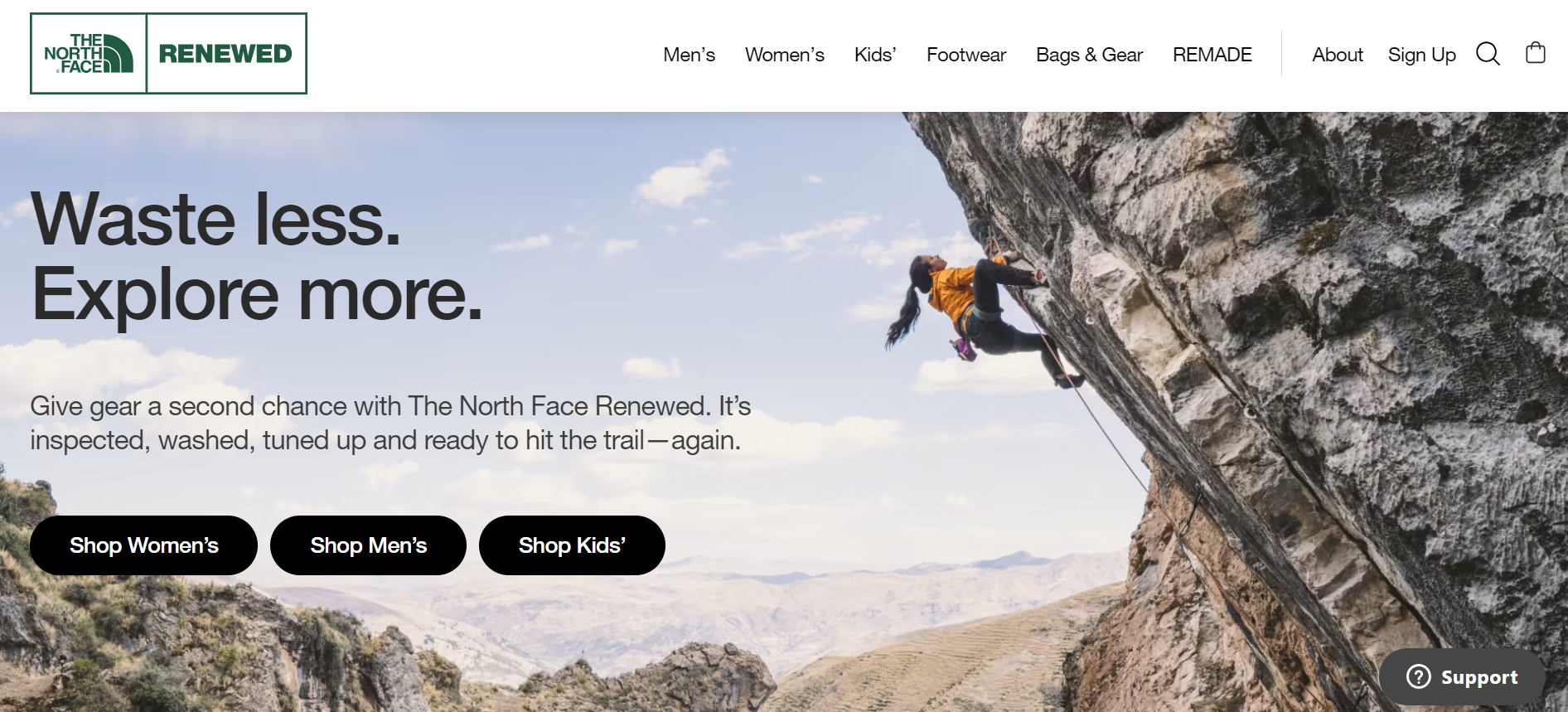
The takeaway: A subdomain empowers the brand to focus on selling different kinds of products while tying it back to the brand’s core philosophy—as we saw in North Face’ case.
Tip #3: Test New Features of a Product without Worrying
Why It Works: Testing new features on a subdomain lets you try changes without affecting your main site.
For businesses like SaaS or eCommerce, this approach provides a secure environment to experiment and adjust. Handling updates in a different setting helps spot and resolve problems before they impact your main platform, making sure your users have a seamless experience.
Tips:
- Set up a Test Site: Create a separate subdomain to test new updates. Get a small group of users to test these features and give their thoughts. Their feedback will help spot any issues and improve features before they’re released.
- Track Different Versions: Use separate subdomains to host different versions of your site and write down all the details for each one. This approach helps you handle updates well and makes sure new changes are added.
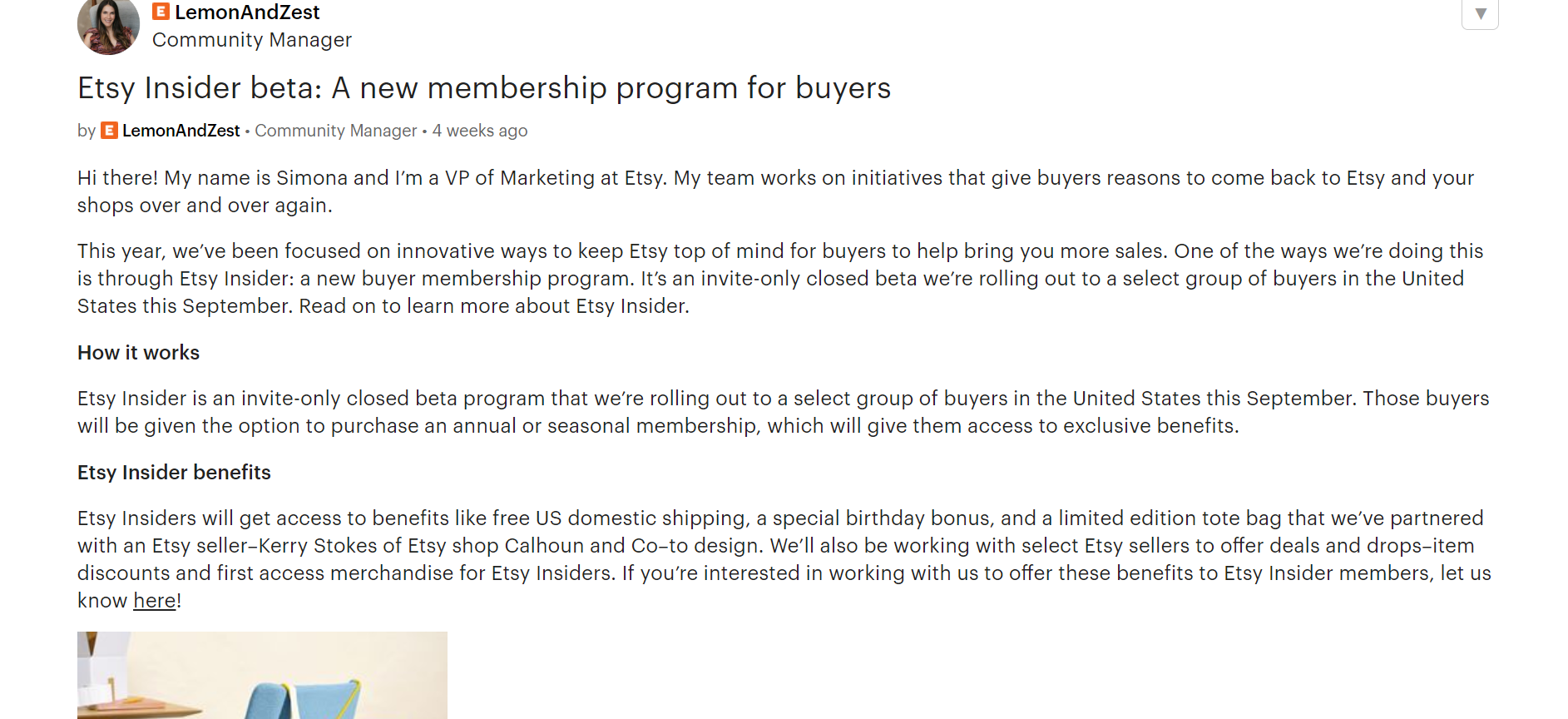
Example: Etsy is launching an invite-only beta program for a select group of buyers in the United States. The brand will offer benefits and exclusive discounts to members via this buyer membership program:
Tip #4: Optimize Your Site for Mobile Users
Why It Works: A dedicated subdomain for mobile users transforms their browsing experience. Instead of forcing a desktop site onto a small screen, you provide a streamlined version designed for easy navigation on touch devices.
Tips:
- Ensure Responsive Design: Make sure your mobile subdomain is designed for easy use with fingers. Opt for larger buttons, straightforward menus, and fast-loading pages to enhance usability.
- Set up redirects: Configure your site to automatically direct mobile visitors to the mobile subdomain. This ensures they receive an optimized experience, no matter what device they use.
- Engage in regular testing: Test how your mobile subdomain performs on various devices. The data you gather should help you to adjust your strategy as needed and ensure that the site works smoothly across different screen sizes.
- Monitor performance: Keep an eye on how the mobile version is doing. As a best practice, address issues that pop up so you can provide a consistently good experience.
Example: Look at how Facebook manages its mobile presence. It uses m.facebook.com to provide a user-friendly version for smartphones. Ultimately, it makes it easy for people to scroll, like posts, and chat with friends on the go:
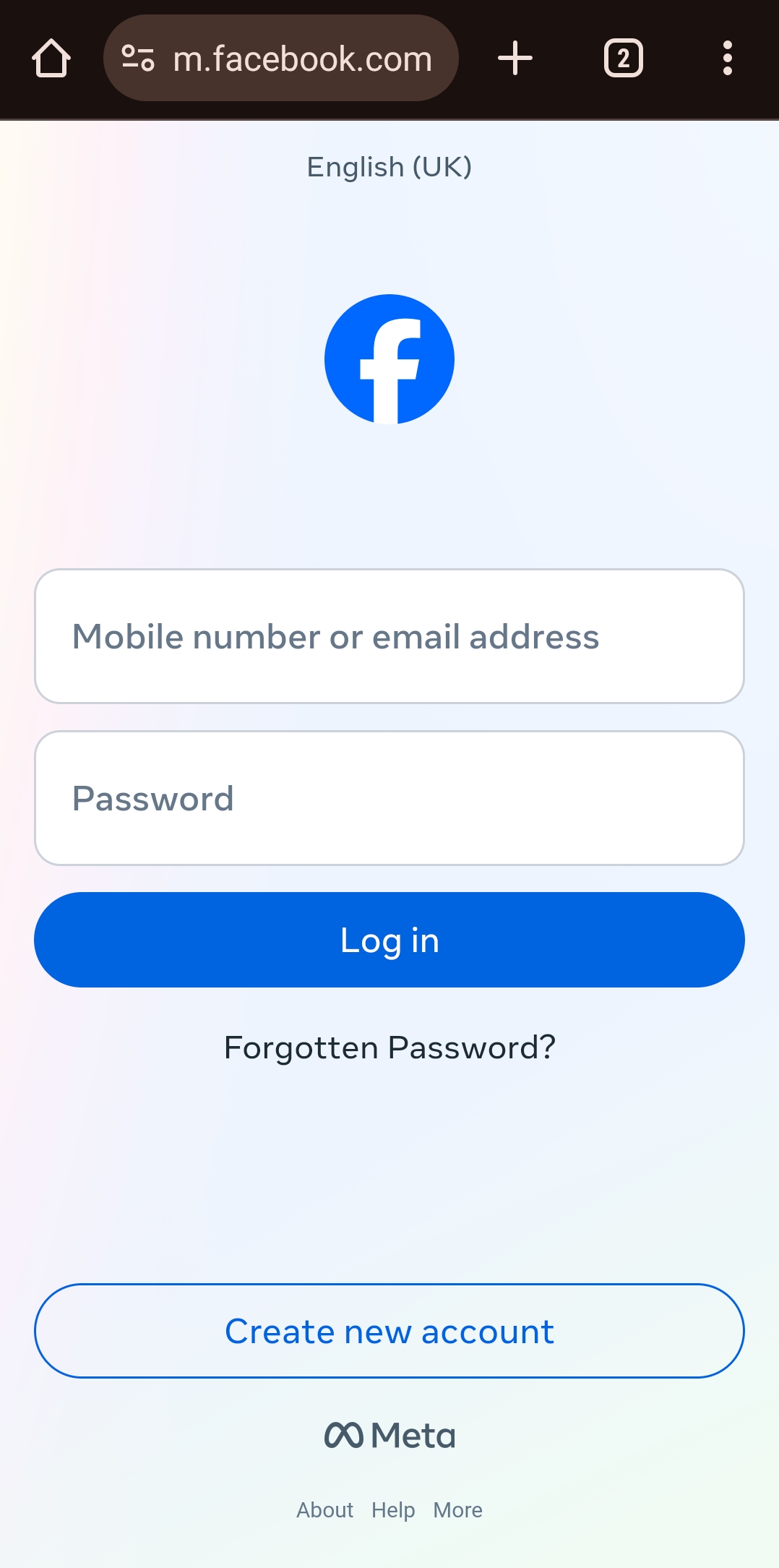
Personal Screenshot
The takeaway: Using a mobile-specific subdomain ensures that users have an effortless and enjoyable browsing experience—one that is perfectly suited for their smartphones.
Tip #5: Use Subdomain to Build a Knowledgeable Help Center
Why It Works: If your product needs extra help, setting up a dedicated support center on its own subdomain is a great idea. It keeps all the support materials—like how-to guides, FAQs, and troubleshooting tips—neat and accessible without cluttering your main site. This way, users can easily find the help they need without distractions.
Tips:
- Clear Layout: Break down the help center into clear categories, such as “Starting Out,” “Fixing Issues,“ and “Account Help.“ A search bar is also a must-have to help users find answers without digging through multiple pages.
- Regular Updates: Keep your help center fresh by updating it with the latest information. Ensure all guides and FAQs reflect current features and address new common issues.
- Get Feedback: Encourage users to share their thoughts on the help center through feedback forms or support requests. Use their input to tweak and improve the content, making it more useful for everyone.
Example: HubSpot uses help.hubspot.com to offer a dedicated help center:
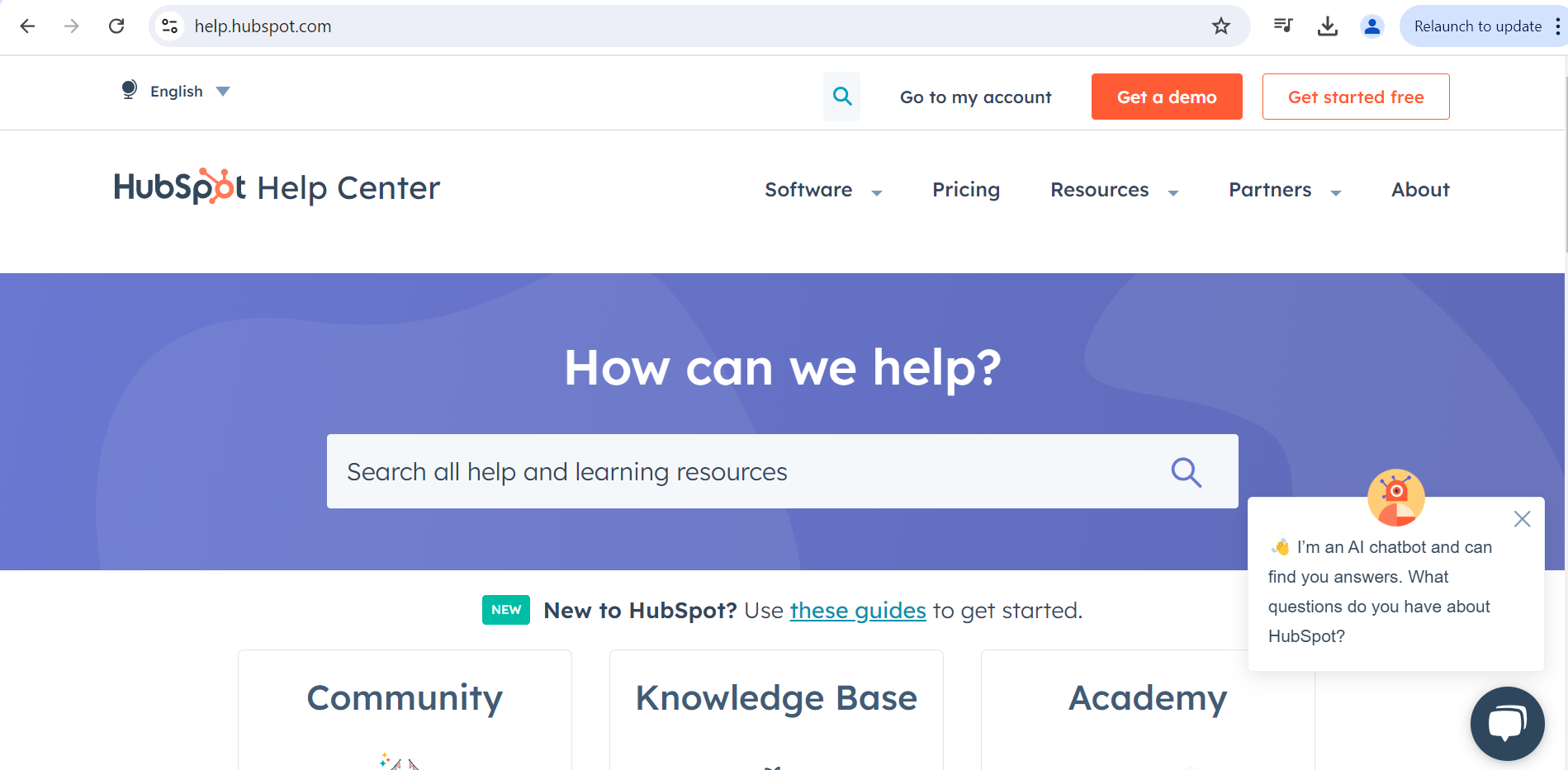
The takeaway: HubSpot’s help center is power-packed detailed guides, troubleshooting articles, and an AI chatbot. All these features come together to assist users in their journey of exploring HubSpot’s products without ever having to leave the site.
Tip #6: Use Subdomains Strategically to Drive Sales Campaigns
Why It Works: A subdomain dedicated to your sales campaign gives you a separate area to focus solely on promotions. This subdomain lets you monitor and adjust your strategies more precisely, giving you better control over how your campaign unfolds.
Tips:
- Create a sense of urgency: To encourage visitors to take action quickly, add countdown timers and limited-time offers on the subdomain.
- Track results: Use analytics tools to monitor traffic and conversions specific to the campaign. This will help you better gauge campaign success and measure return on investment.
- Smooth transition: After the campaign ends, make it easy for visitors to return to your main site. To ensure a seamless experience, you must provide clear links and navigation.
Example: One of the best examples of this is considering how brands like Best Buy manage their promotional campaigns. During eventful periods such as the Black Friday sale, Best Buy uses a separate subdomain to highlight special offers and deals just for Black Friday. Once the event is completed, shoppers are automatically redirected to the main Best Buy site.
Tip #7: Subdomains Double Up as Effective Community Forums
Why It Works: A subdomain for community interaction helps keep your main site organized and focused. Users benefit from a specific area for discussions, questions, and sharing experiences without overwhelming the primary site.
Tips:
- Equip with moderation tools: Integrate features that help you keep discussions constructive and on-point. Tools for managing posts and moderating user interactions ensure a positive environment where users can freely engage without any kind of mess.
- Boost engagement: Keep your forum dynamic with regular posts, interactive polls, and engaging events. An active forum attracts more participation and builds a buzzing community where users feel connected and heard.
- Leverage feedback: Use the forum as a sounding board for user feedback on your products. Insights from your community can be a goldmine for making meaningful improvements and staying ahead of the curve.
Example: Take a look at Reddit. It uses different subdomains to host various forums. Each subreddit functions as its own community space and helps contributors to discuss, ask questions, and share information without overwhelming the main Reddit site:

The takeaway: A subdomain-driven community like this helps Reddit keep its main site focused on a broad range of content while giving users a dedicated space to dive deep into specific interests.
Partner with BigRock for All Your Domain Hosting Needs
Subdomains are your best friend if you want to clarify your site’s structure, guide customers to special deals and promotions, and help users focus on your brand’s different characteristics and features.
But here’s the catch: Setting up a subdomain is not easy for beginners or site owners with little to no technical knowledge. This is where a partner like BigRock can help. Leverage our domain hosting services and get all the support and tools you need to get the most out of your site’s setup.
Ready to upgrade your website? Sign up with BigRock today and keep your customers engaged with a well-structured online presence.
FAQs
1. What is a subdomain?
Think of a subdomain as part of your main website that operates on its own. For instance, blog.example.com is a subdomain used just for blog posts, while example.com is your main site.
2. What’s a good example of a subdomain?
An example would be shop.example.com. Here, shop is the subdomain set up specifically for your online store, separate from the main site at example.com.
3. Why should I use a subdomain?
Subdomains help you keep different parts of your site organized. For example, if you want a separate space for a blog or an online shop, a subdomain can make each section easier to manage and keep focused.
4. Can subdomains be used for different languages or regions?
Absolutely. You can use subdomains to cater to different languages or locations. For example, es.example.com can be for Spanish content, and uk.example.com can target users in the UK.
5. How do I set up a subdomain?
Setting up a subdomain is simple. Just go to your domain hosting provider’s control panel, pick a name for your subdomain, and adjust its settings.
6. Do subdomains impact my main website’s SEO?
Subdomains can impact SEO, but if you handle them right, they won’t hurt your main site. Each subdomain should be optimized for its specific content, which can actually boost your overall SEO.
7. Can I manage all my subdomains from one hosting account?
Yes, you can manage multiple subdomains from the same hosting account. Most hosting providers let you handle all your subdomains in the same place as your main domain.
8. Do I need separate SSL certificates for each subdomain?
It depends on your SSL setup. Some SSL certificates cover all your subdomains, while others might need separate certificates. Check with your SSL provider to find out what’s best for you.










