Thinking about renewing your domain but worried it might hurt your hard-earned SEO rankings? You’re not alone.
Many site owners fear they’ll lose visibility, traffic, and search engine trust when making changes to their domain, especially if you’re updating or transferring it.
The good news? With the right steps, you can renew and even change your domain without undoing your SEO progress. This guide shows you how. Read on!
What a Domain Change Means for Your Brand
If you’re planning to switch to a new domain name, you’re likely doing it for good reason: maybe you’ve rebranded, found a cleaner name, or want to bring several sites under one roof. But before you move ahead, it’s important to understand what a domain change actually involves.
When you change your primary domain, all subdomains associated with it will also be redirected to the new one. Your core URL structure—like page paths and folders—can stay the same. However, anything tied directly to the old domain, including custom analytics views, will be wiped out. You’ll need to rebuild those under the new domain if you want to keep tracking the same data.
Many site owners confuse domain changes with domain transfers. These are two different actions. A transfer only moves your domain to another registrar or host. The website address stays exactly the same.
A domain change, on the other hand, replaces your current domain name with a new one. That affects how your site is indexed, how users find you, and how your authority is passed on.
Understanding this difference is critical before making any move. A domain change directly affects how your site performs and how it’s recognised across the web. If you get it wrong, it could cost you rankings, traffic, and trust.
6 Reasons Why Is It Important to Renew Domains
If your domain powers your website, email, and brand identity, letting it expire means taking a direct hit to your business. What we mean is domain renewals often get overlooked until it’s too late.
Here’s why you should renew your domain:
1. You Lose Everything Connected to the Domain
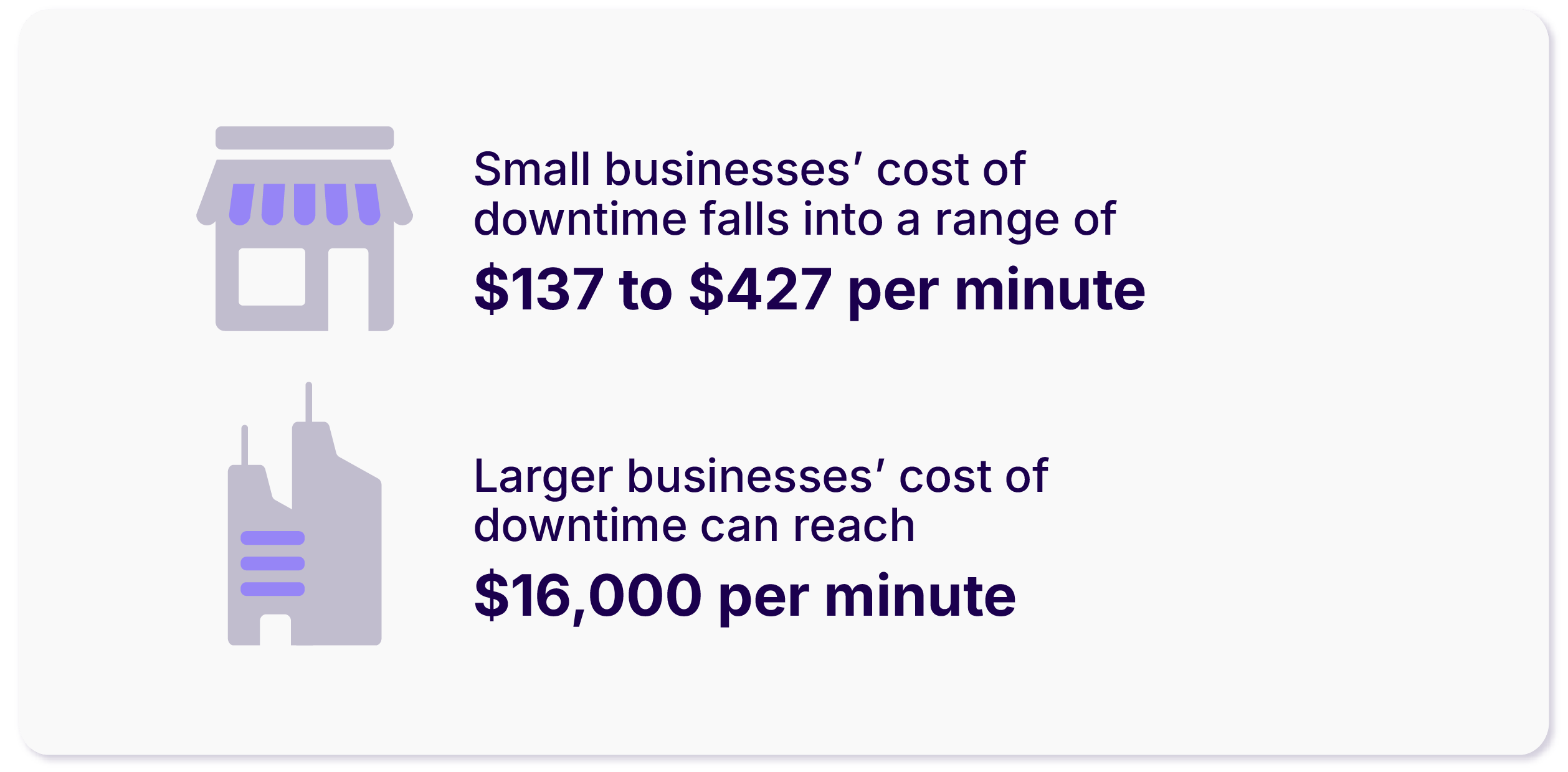
When your domain expires, your site goes offline. Your email stops working. Links break. SEO rankings drop. This inconvenience causes business downtime that’s hard to recover from.
2. Someone Else Can Register It and Use It Against You
Once your domain hits the open market, it’s fair game. Competitors, resellers, and domain squatters are watching expiring domains daily. If they get yours, you’re locked out.
3. Google Won’t Wait for You to Fix It
SEO equity tied to your domain takes time to build and seconds to lose. Search engines can’t crawl expired domains. That means rankings tank, pages get deindexed, and your content visibility disappears.
4. Clients Stop Trusting You the Moment Your Site Disappears
An expired domain makes you look like you’ve shut down or worse, aren’t serious about your business. If they see a browser error or dead email, they will move on. And mind you, that first impression is hard to undo, even if you recover the domain later.
5. Auto-Renew Isn’t Fail-Safe Anymore
A failed card. An expired payment method. A registrar policy update. These can stop auto-renewals without warning. Most businesses only realise the issue after the domain’s already dropped. One mistake, and someone else is holding your digital front door.
6. Rebuilding Costs More than Renewing
Lost SEO, broken links, downtime, rebranding—none of that is cheap. The average domain renewal is under $20 a year. Compare that to the cost of recovering lost traffic, reputation, and internal systems. In short, skipping renewal is an expensive shortcut to nowhere.
Here’s what the data tell us
- Website Downtime Costs: The average cost of downtime across all industries has grown to about $9,000 per minute.
- Domain Buyback Prices: The domain name market saw a 32.8% increase in dollar volume in 2024 compared to 2023, indicating a surge in domain buyback prices.
- SEO Impact of Expired Domains: Google introduced new spam policies in March 2024, targeting expired domain abuse, which can significantly impact SEO rankings.
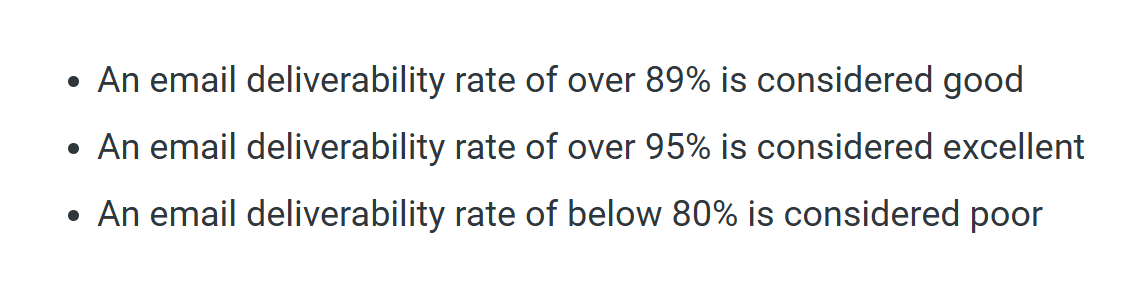
- Email Bounce Rates Due to Domain Expiry: High bounce rates negatively impact sender reputation, indicating that your email list may not be well-maintained or that you may be sending to outdated lists:
- Auto-Renewal Failures: Familiarity with the life cycle of a domain can help you determine the next steps for your business and avoid the consequences of unexpected domain expiration.
- Cost of Rebuilding After Domain Loss: On average, a domain name costs between $10 and $50 per year. However, renewal fees are often higher than initial registration rates, and rebuilding a brand after losing a domain can be significantly more expensive.
How to Renew Domain: 10 Strategic Tips
Changing your domain name can affect your site’s visibility, search history, and performance.
If you’ve got a new domain lined up and you’re ready to go live, don’t rush the switch. Because the thing is, careless migration can wipe out years of SEO work. If you want to keep your rankings intact, each step you take must serve a purpose.
Here’s how to do it right:
1. Take a Full Snapshot of Your Website
Before anything else, ensure you have a clean, working backup of your entire site, including files, database, and other essential components.
If anything fails during the move, you’ll want a working version of your site ready to restore. Don’t rely on old backups or automated tools you haven’t tested. Put another way, create a manual one, double-check it, and store it safely.
Questions to Ask:
- Have you tested your backup by restoring it to a staging environment?
- Are you backing up just the files, or are you including the database and server configurations as well?
- Where are you storing your backup, and is it accessible if the migration fails mid-process?
- Do you have a rollback plan in place in case the new domain causes serious performance issues?
- Have you noted the version of your CMS, plugins, and extensions to replicate the same environment if needed?
2. Check the History of Your New Domain
A domain can carry baggage. You need to make sure the one you’re switching to doesn’t have a bad record.
Look up its past use. Was it tied to spam? Was it flagged or blacklisted? Use domain history tools and archive snapshots to review what kind of site once lived there.
If the domain has never been used, that’s ideal. If it has a past, make sure it aligns with your brand. You don’t want to inherit someone else’s reputation problems.
Questions to Ask:
- Have you scanned the domain for past penalties or blacklisting using tools like Google Transparency Report?
- Was the domain ever associated with industries or topics unrelated to your brand that might confuse search engines?
- Are there still backlinks pointing to the domain from questionable websites?
- Has the domain been parked or inactive for a long time, and could that affect its trust level?
- Would a simple rebrand with your current domain make more sense than adopting a domain with a risky past?
3. Start the Migration with Your Infrastructure in Place
Once you’ve confirmed your new domain is clean, you can begin the move. Some site owners like to test with a soft rollout—moving a section of the site first. This is fine if you have the time and resources to monitor both domains in parallel.
Otherwise, a full migration is more efficient. Coordinate with your hosting provider to confirm that your CMS, server settings, and SSL certificates are all compatible with the new domain.
Questions to Ask:
- Is your SSL certificate properly configured for the new domain before launch?
- Have you updated internal links and canonical tags to reflect the new domain structure?
- Are your image paths, scripts, and database connections ready to support the new domain?
- Do you have a staging site to simulate the migration before pushing it live?
- Have you briefed your team or developer on the full scope and timing of the move to avoid overlap or errors?
4. Set Up Permanent Redirects—Every Single URL
Redirects act as the bridge between your old domain and your new one. Set up 301 redirects for every page (and not just your homepage):
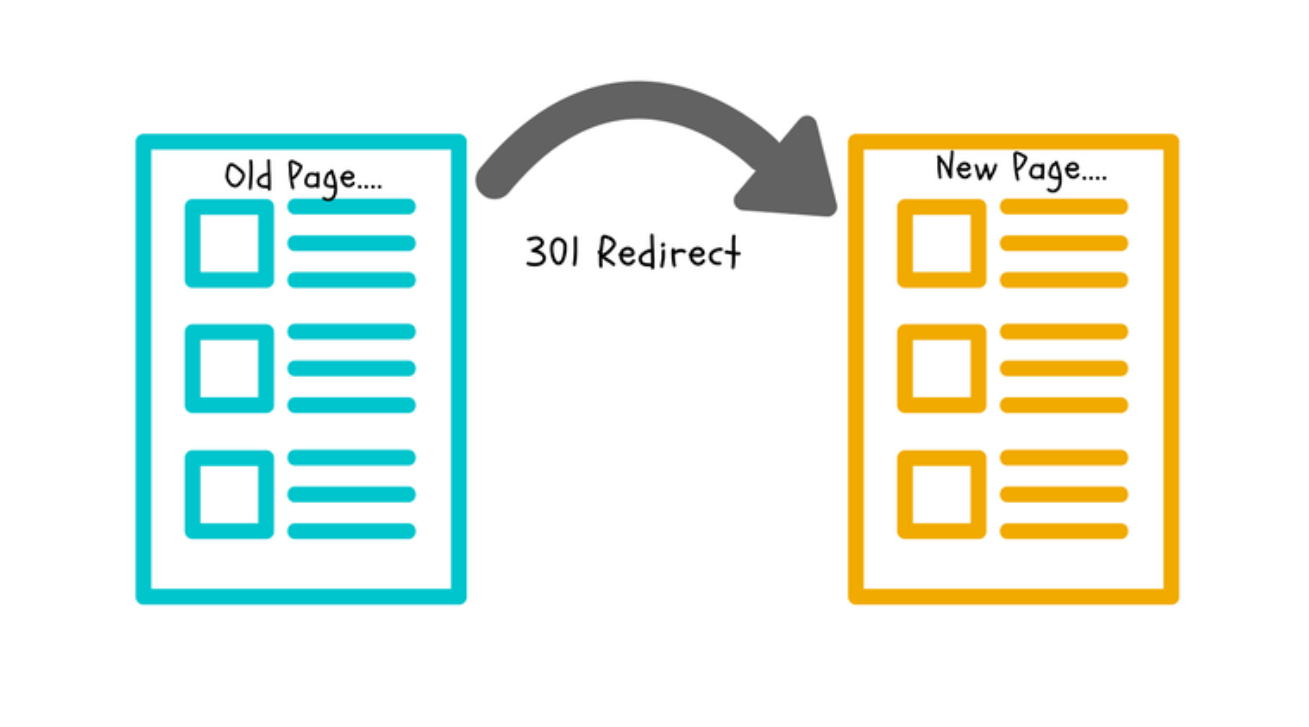
Don’t rely on wildcard redirects alone—they often miss deeper URLs or cause mismatch errors. If a third-party site linked to an old blog post, you want that traffic to land on the same content under your new domain. Map each URL one-to-one so that link equity and user experience remain untouched.
Questions to Ask:
- Have you created a full list of URLs from the old site to map against the new one?
- Are your redirects being handled at the server level for performance and reliability?
- Have you tested your redirects across multiple devices and browsers to catch unexpected behavior?
- Are your redirects pointing to exact content matches or just the homepage?
- Do you have a log monitoring system in place to track broken links or missed redirects after launch?
5. Inform Google Directly
Redirects tell Google what changed. But you still need to send the message clearly. Go into Google Search Console and use the “Change of Address” tool. This officially tells Google you’ve moved the site:
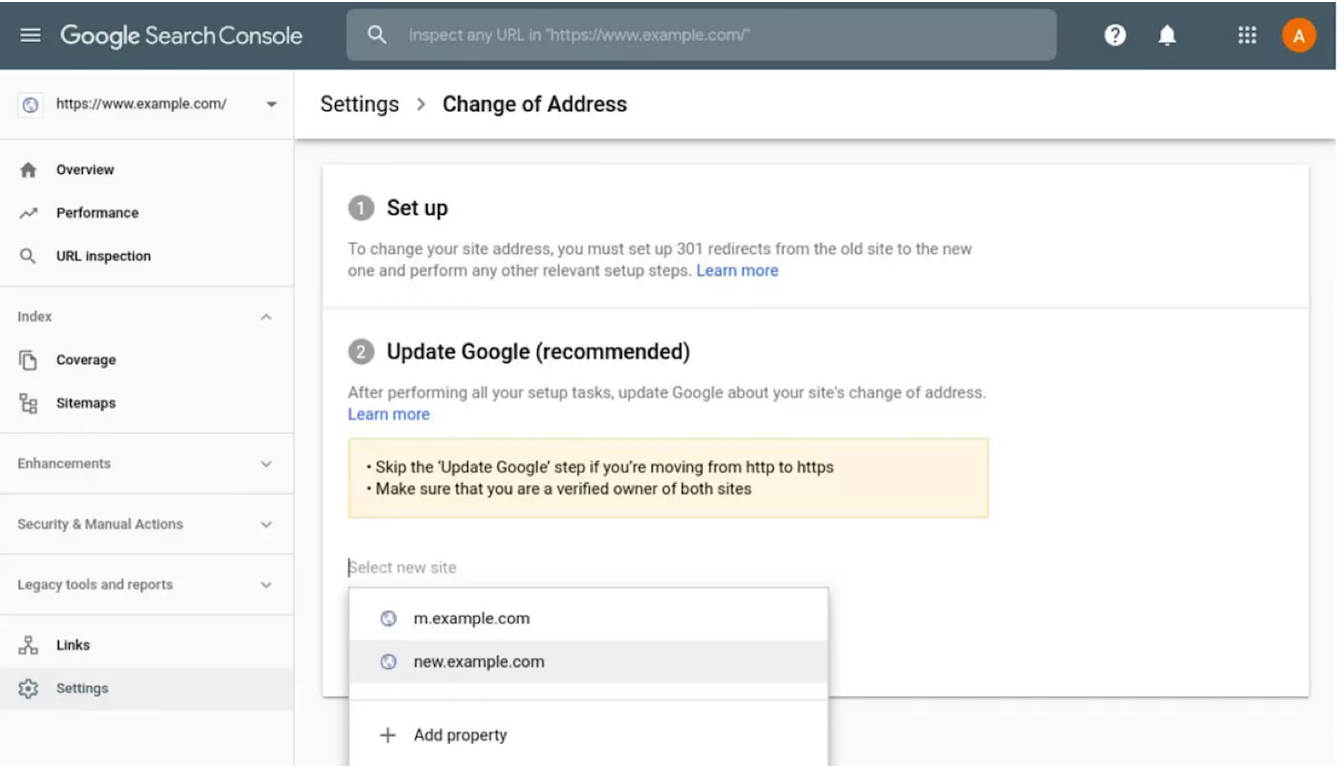
Make sure both the old and new domains are verified and that your sitemap reflects the new URLs. If you skip this, indexing can lag—or worse, your rankings can drop as Google tries to reprocess your site on its own.
Questions to Ask:
- Is your new domain fully verified in Google Search Console before using the Change of Address tool?
- Have you submitted updated sitemaps for both the old and new domains?
- Are your robots.txt and meta robots tags correctly configured for crawling the new domain?
- Have you removed outdated disavow files or URL parameters that no longer apply?
- Are you also informing Bing Webmaster Tools and other search engines, or only relying on Google?
6. Monitor Site Health and Search Signals
After launch, keep a close eye on how your site performs under the new domain. Check your analytics tools:
- Are you still seeing consistent traffic?
- Is the new domain getting indexed properly?
Use Search Console to spot crawl errors and broken links. Watch for unexpected 404s or traffic dips:
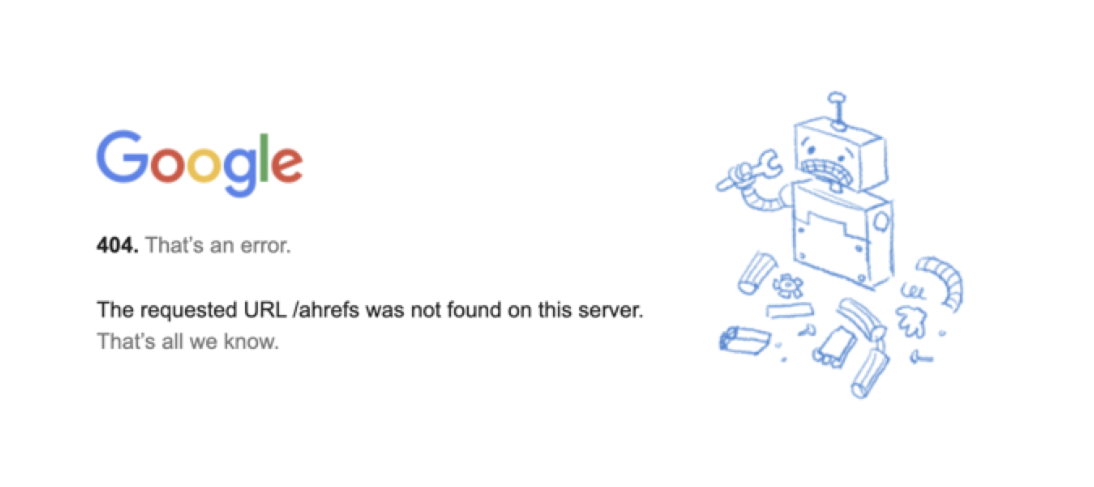
If something looks off, trace it back to a redirect or missing URL. Considering you can’t fix what you don’t catch, you should set up alerts and check in regularly.
Questions to Ask:
- Are you tracking organic traffic, bounce rate, and conversion data week-over-week post-migration?
- Have you set up error monitoring in Search Console to catch 404s, indexing gaps, or crawl issues early?
- Are any high-value pages (e.g. landing pages or top blog posts) experiencing ranking drops?
- Have you checked how your new domain appears in search snippets—is the metadata accurate?
- Do you have someone reviewing search performance regularly or are you relying on automated reports alone?
7. Rebuild Confidence with Users and Search Engines
SEO is not just about redirects and sitemaps, it’s also about trust. After the migration, update your domain name across all channels such as social media, directories, email footers, and anywhere else your site is listed.
If possible, get a few fresh backlinks to the new domain from trusted sources. This helps Google see the domain as active, credible, and worthy of ranking.
Questions to Ask:
- Have you updated all mentions of your domain across business directories, social profiles, and marketing platforms?
- Are your branded search terms still leading users to the correct version of your site?
- Have you submitted updated structured data (e.g. organisation schema) tied to the new domain?
- Are email deliverability and reputation stable after updating domain-based emails?
- Have you earned at least a few new quality backlinks to the new domain to re-establish credibility?
8. Reindex Your New Domain Strategically
After the switch, you don’t want to leave crawling and indexing to chance. Speed up reindexing by pushing updated URLs through Google Search Console’s URL Inspection Tool, submitting a fresh sitemap, and nudging crawlers with internal linking. This reinforces relevance and helps search engines prioritise your key pages:
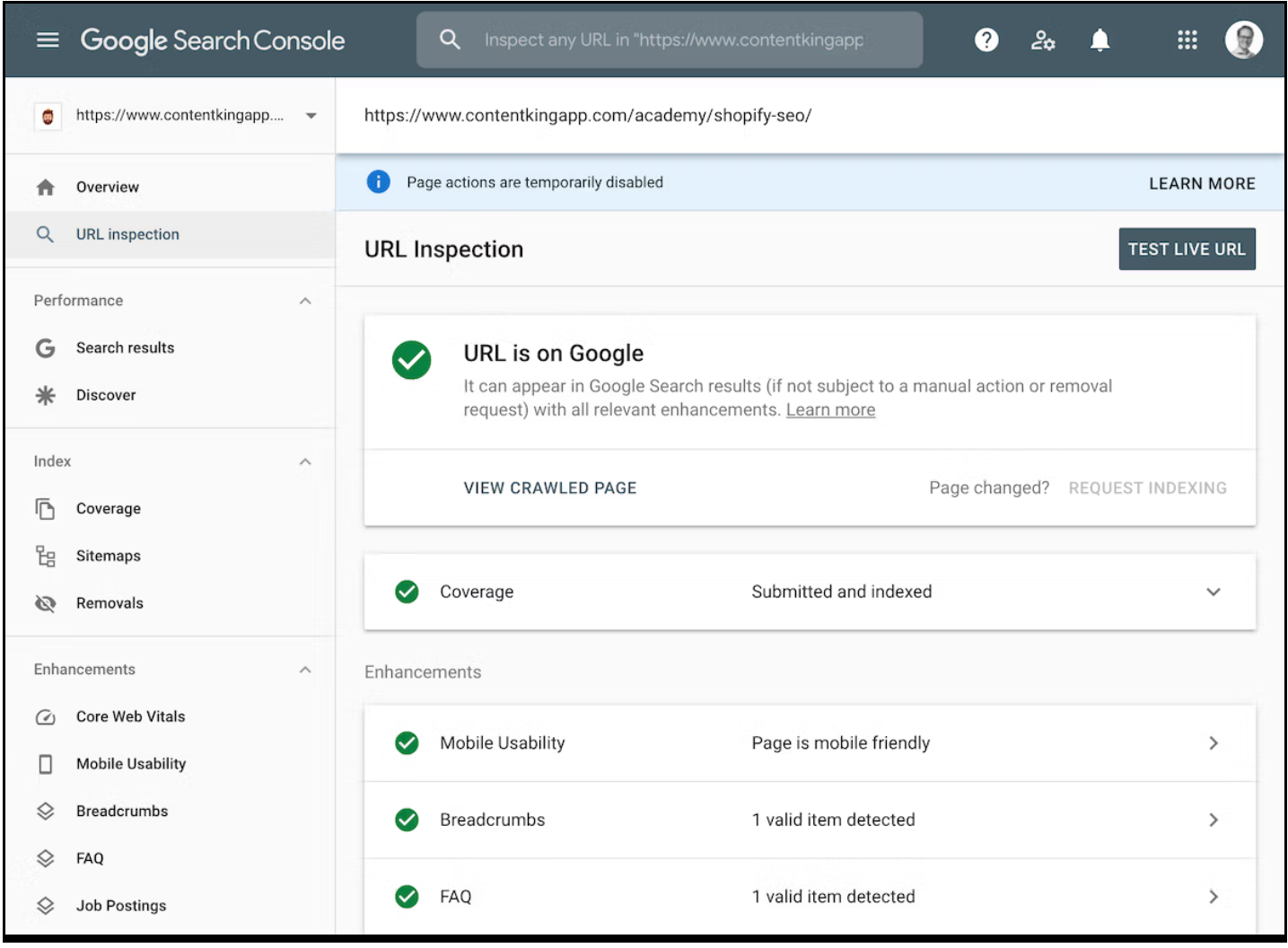
Avoid submitting unnecessary pages to Google. Remove low-value content, fix expired redirects, and archive outdated material. Prioritise indexing only the pages that serve a clear purpose and support your visibility goals.
Questions to Ask:
- Have you manually submitted your top URLs using the URL Inspection Tool to speed up indexing?
- Are you using a clean sitemap structure that prioritises core pages first?
- Is your internal linking updated and pointing to new domain paths, or still referencing old URLs?
- Have you pruned low-quality or duplicate pages that could dilute SEO equity?
- Are you staggering crawl requests for large sites to avoid throttling or temporary blocks?
9. Revisit and Rebuild High-Impact Backlinks
Your old backlinks don’t magically transfer domain authority. Even with 301 redirects in place, some authority is lost during migration. Identify your top-performing inbound links using tools like Ahrefs or Semrush, then reach out to site owners or publishers and ask them to update those links to your new domain directly.
This isn’t just about rankings—it’s also about user trust and referral traffic from those sources.
Questions to Ask:
- Have you run a backlink audit to isolate your most authoritative links from the old domain?
- Can you contact the referring sites and request updated URLs to your new domain?
- Are any of your old backlinks pointing to content that no longer exists or has been moved?
- Have you prioritised outreach for industry publications, partner sites, and directory listings?
- Do you track referral traffic separately to measure the impact of updated backlinks?
10. Align Your Brand Signals and NAP Citations
Search engines rely on brand consistency signals like your business name, address, phone number (NAP), and domain mentions across the web. Mismatched citations between your old and new domains can confuse search engines and impact local SEO as well as branded search visibility.
Audit your business listings, local profiles, review sites, and press mentions. Update every instance to reflect your new domain, and keep naming conventions consistent across the board.
Questions to Ask:
- Have you updated your NAP citations across major platforms like Google Business Profile, Yelp, and local directories?
- Are third-party brand mentions (news articles, press releases, affiliate links) still using your old domain?
- Have you standardised the way your business name and contact details appear across all listings?
- Are review sites, industry forums, and aggregators referencing your new domain or clinging to the old one?
- Have you claimed ownership of key listings that are still under the outdated domain or email?
Lock in Long-Term SEO Results with BigRock on Your Side
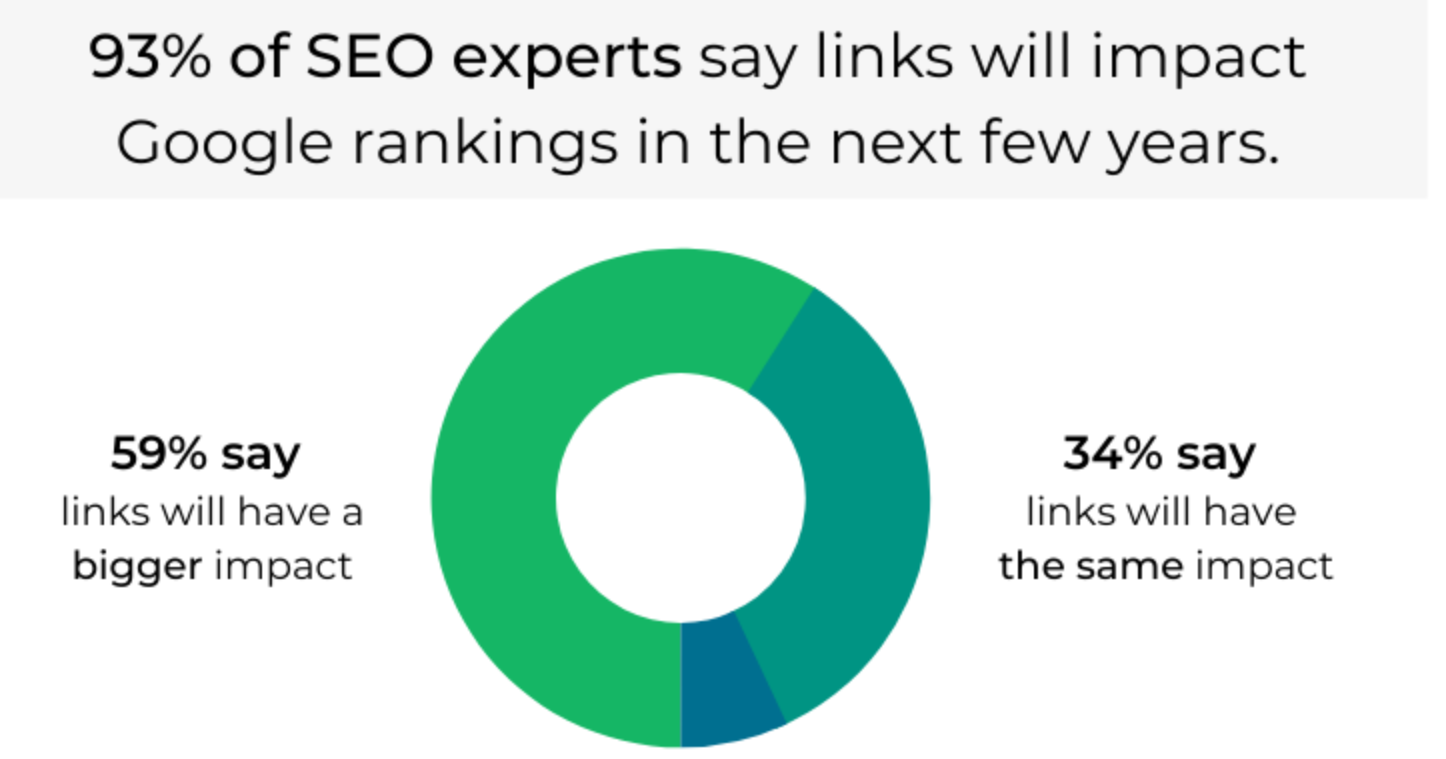
If you follow a structured approach, your domain change won’t cost you visibility or traffic. Redirects will guide users and search engines to your new domain, but the work doesn’t stop there. You need to update every place your old domain lives, from email signatures and ad campaigns to business listings and social profiles.
Let your audience know. Publish a quick blog post announcing the change. Schedule a few social updates. Send a short email to your subscribers. This keeps your brand consistent and avoids confusion.
If you’re looking for a domain provider that makes these changes easier, BigRock gives you the right tools to manage your DNS, set up redirects, and move with confidence. With the right support, you don’t just hold your SEO position—you give it room to grow.
FAQs
1. Will my SEO rankings drop if my domain expires, even for a short time?
Yes. If your domain goes offline, even for a few hours, search engines can temporarily deindex your pages. That affects visibility, and depending on your site’s authority, it can take days or weeks to recover. So, always renew your domain before the expiry date to avoid disruption.
2. How early should I renew my domain to be safe?
At least 30 days before expiry is ideal. Some registrars offer auto-renewal, which is worth enabling. If you’re running a business or depend on organic traffic, renewing a year in advance is good risk management.
3. Can I renew my domain after it expires and still keep my SEO?
It depends on how quickly you act. Most registrars offer a grace period of up to 30 days. During that time, your site may be offline, which still impacts rankings. If the domain enters the redemption phase or is released to the public, your SEO footprint could be lost entirely.
4. Does changing my hosting provider during domain renewal affect SEO?
Not if you handle the transition properly. Make sure your site doesn’t go offline, DNS settings are correctly configured, and no URLs change. Backups, redirects, and uptime monitoring help avoid surprises during the switch.
5. What happens to my backlinks if my domain expires and someone else registers it?
If your domain lapses and is picked up by someone else, they inherit your backlink profile. That includes all the authority you’ve built. In some cases, expired domains are bought just for this reason. This can also damage your brand reputation if the new content is unrelated or spammy.
6. Can BigRock help me renew my domain without affecting my SEO?
Yes. BigRock provides domain expiry alerts, auto-renew options, and DNS management tools to make sure your domain stays live and stable. These features give you more control, which is key to protecting your SEO efforts.
7. What if I want to change my domain while renewing it—can I still keep my SEO rankings?
Changing domains is possible without losing rankings, but it requires planning. You’ll need to set up proper 301 redirects, notify Google using Search Console, and update all links and references across the web. If you’re unsure how to handle this, BigRock’s support team can walk you through it.