
If you’re just starting out your business, you might be considering using your current email address or creating a new one entirely that ends in @gmail, @yahoo, and so on—primarily because it’s free. However, this may be costing your business more—it reinforces an unprofessional impression and leads to a poor brand reputation.
Our suggestion? Get a business email for your brand. The number of email users and emails being sent will only grow from here on.
Research indicates that the number of business and consumer emails being sent and received every day will reach 408 billion by 2027:
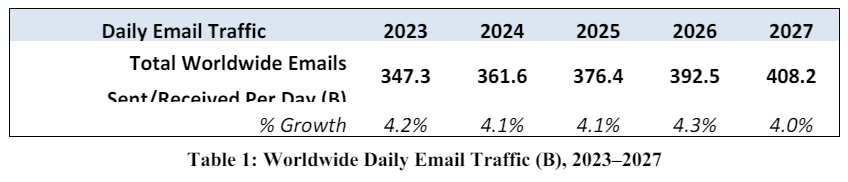

Plus, already over half of the world’s population is using email, which will reach 4.8 billion users by 2027.
In this guide, we’ll talk about what business email hosting is and why you should use it to get more customers, improve brand affinity, and drive sales. Let’s go!
What Is Business Email Hosting?
Business email hosting is a type of hosting service that enables you to create an email account using your own domain name.
For instance, your email address will read something like this for the brand stay master:
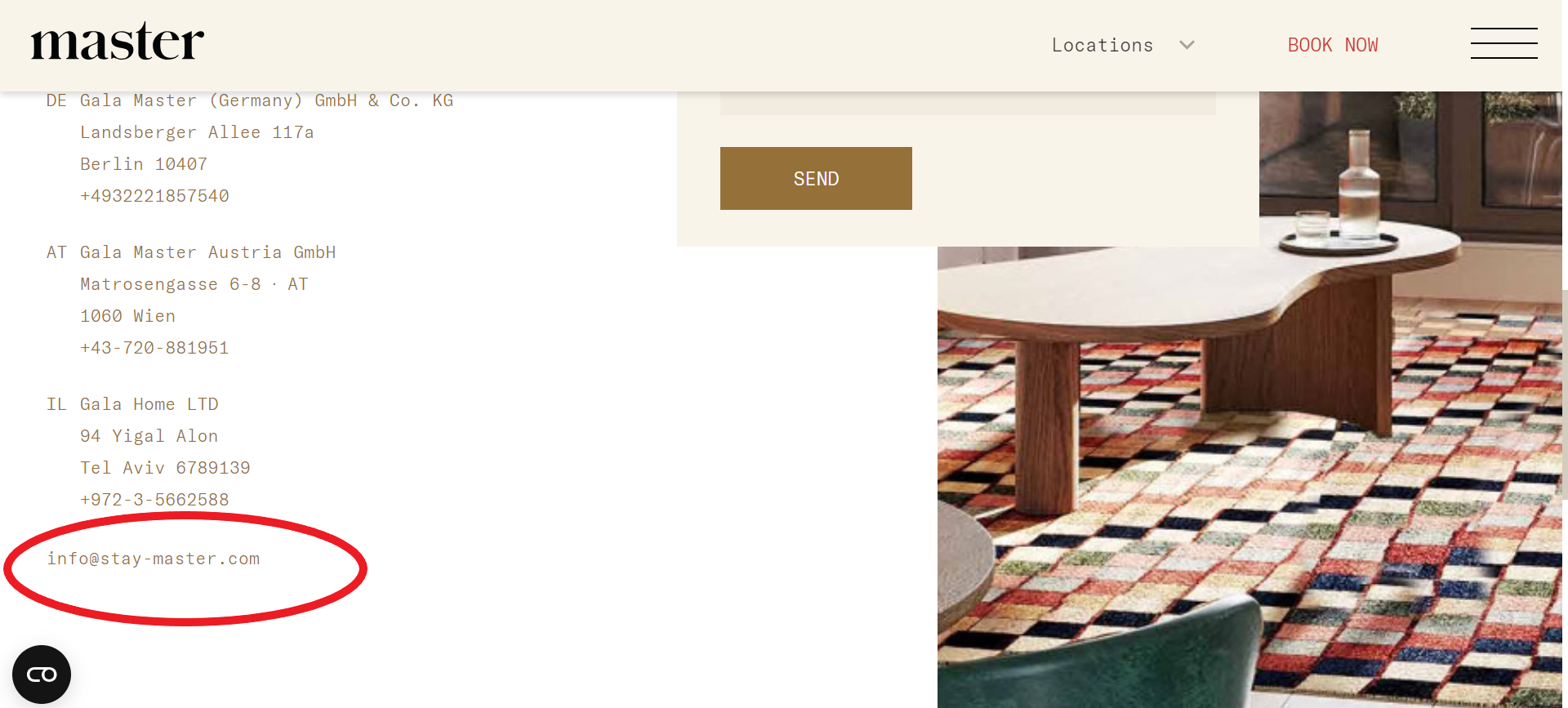
As opposed to simply using the domain name of the email service provider, like [email protected], with Google being the email service provider in this case. Below is an example of an unbranded email address, as the email address has been created for free by Gmail:
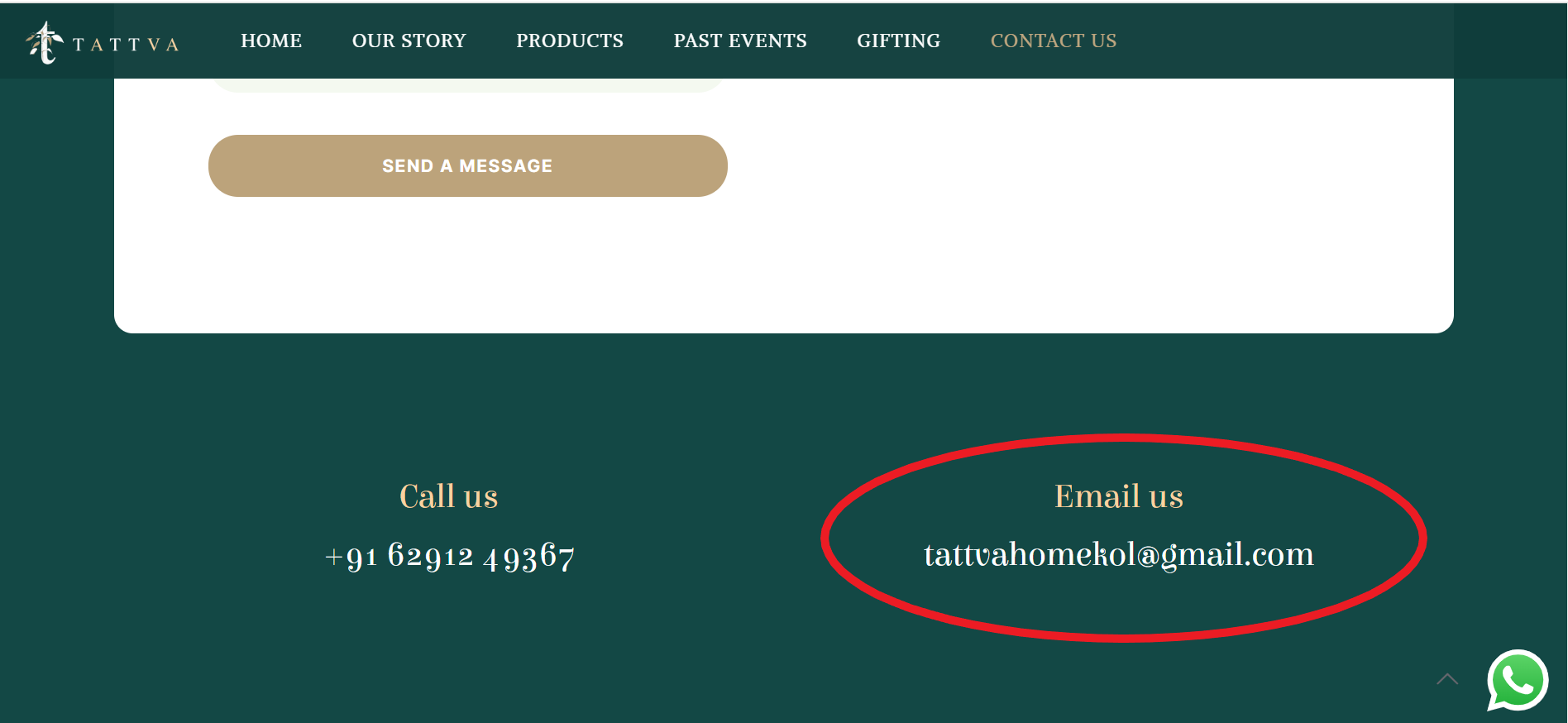
The business email hosting provider offers email servers and infrastructure to help you create, manage, and host your business email account using a custom domain name.
This allows you to have an email address that reflects your brand instead of using a generic email service like Gmail or Yahoo. In terms of features, business email hosting typically includes features for enhanced security, larger storage capacities, and custom email management tools that can be aligned to your business’ specific needs.
Long story short, having a professional email address conveys trust to your website visitors and makes your brand more identifiable in the process. Often, people take the web address from the end of your email and paste it into their browser to learn more about your company. So don’t include anything in your domain name apart from your brand’s name.
11 Benefits of Branded Email for Your Business You Can’t Ignore
While most businesses have shifted to communicating with customers via instant messaging apps such as Facebook Messenger, Instagram DM, WhatsApp, etc., using a business email holds its ground.
Let’s explore why emerging entrepreneurs looking to level up their online business must consider using a branded email for their business:
1. A Branded Email Builds an Authentic Connection with Your Dream Customers
At the outset, getting a business email might seem like a small, insignificant step.
But there’s something about getting an email from a professionally set email address with your website’s domain name. Take the example of the following branded emails:
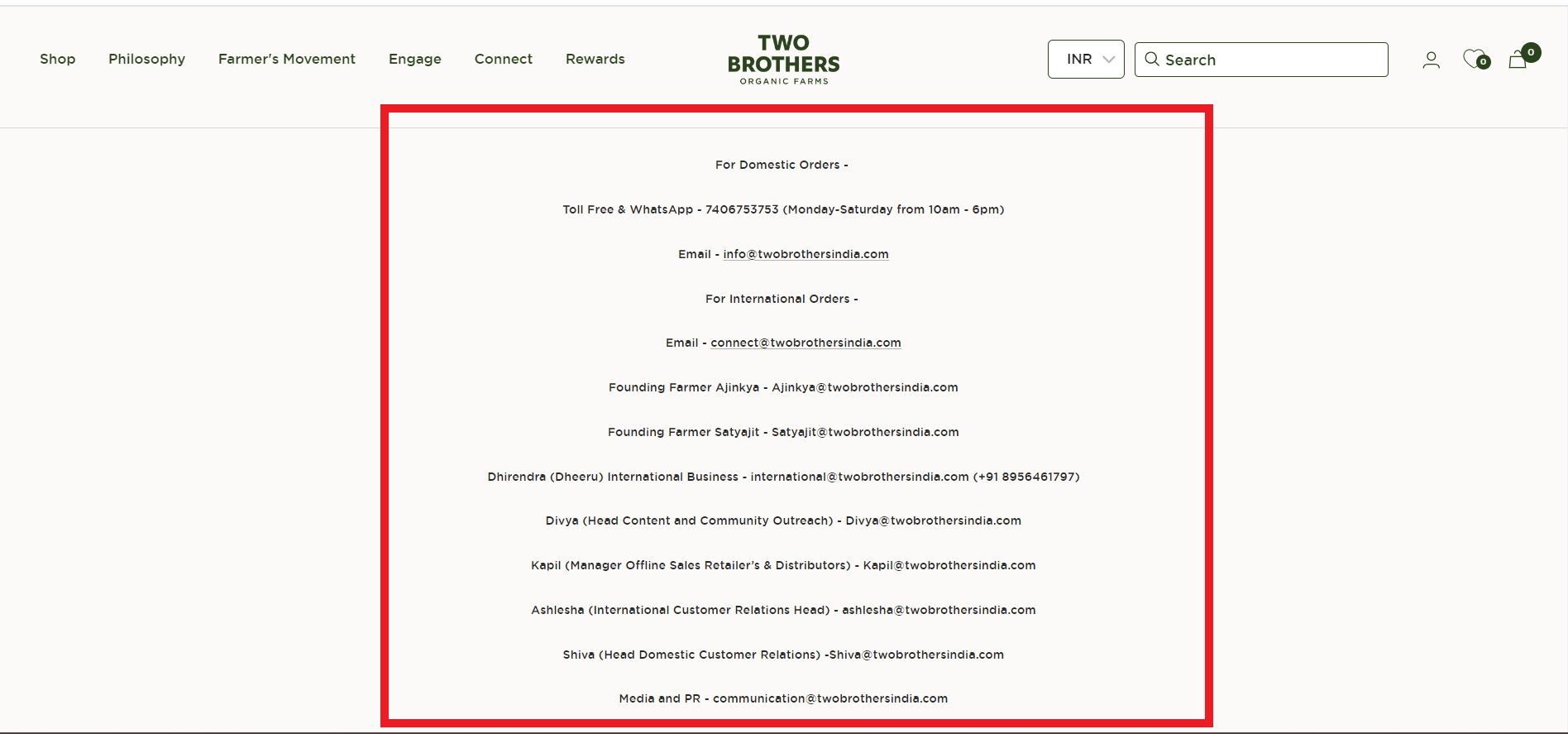
There’s a lot these business emails get right:
- One, there’s a different business email for different purposes. For instance, there are two different branded emails for domestic and international orders.
- Two, the emails have the brand’s domain name in them. This personalized approach ensures higher brand recall.
2. A Branded Email Is Easy to Remember and Recall
If people have to think long and hard about your brand’s email, you’ve already lost half the customers.
A business email that is personalized and unique, makes it easy for your customers to remember the ID. Customers can easily reach you without added effort.
3. A Branded Email Means Free Advertising for Your Business!
Each time you send out an email, you’re essentially promoting your business free of charge. Think about it. If you send daily or weekly emails to customers, you’ll drive top-of-mind recall of your brand name, as Kitsch demonstrates below:
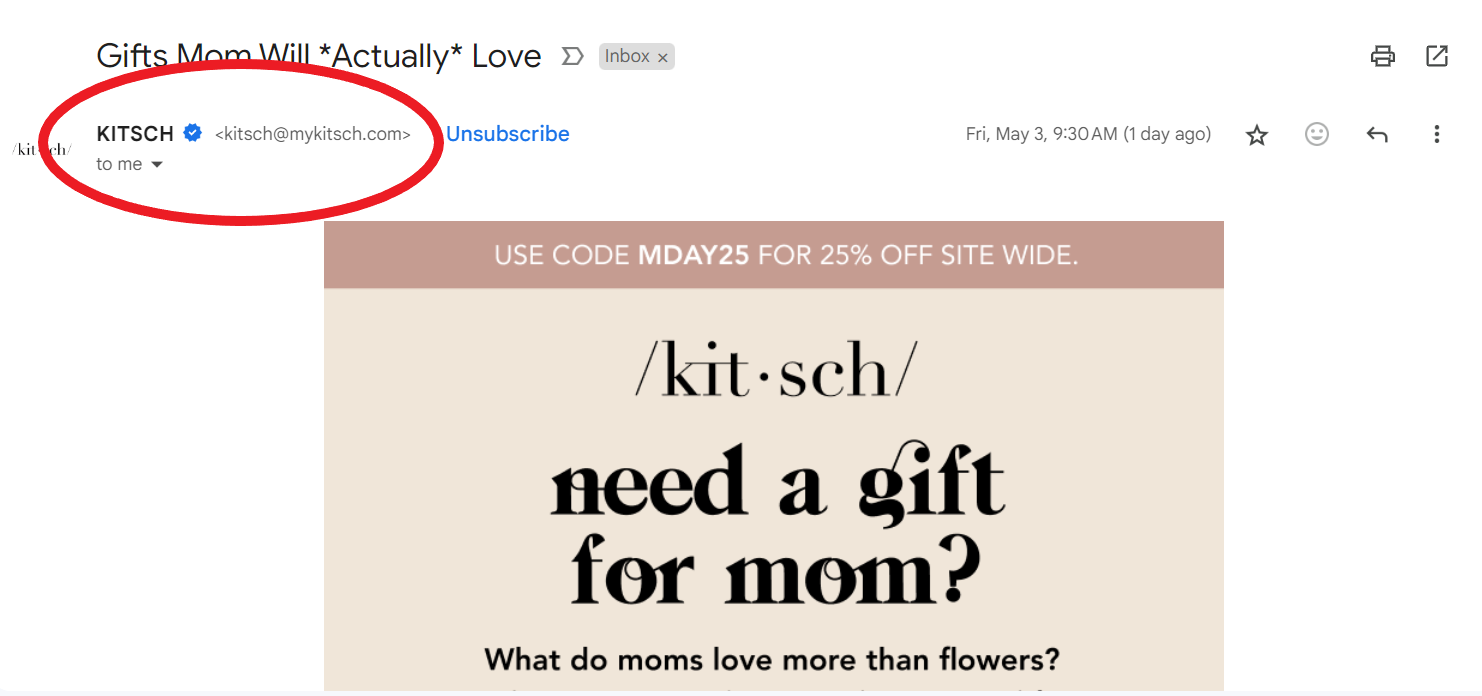
SS from personal Gmail account
If your email contains your domain name, every email you send will reiterate the brand’s name in the customer’s mind:
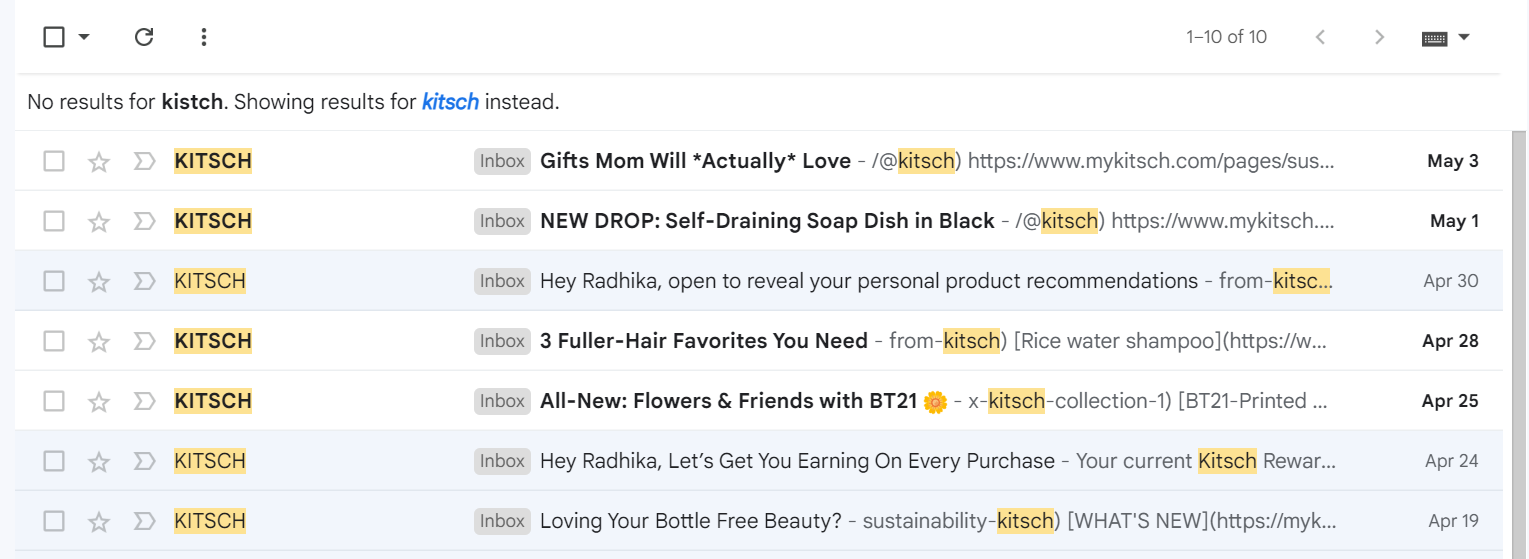
SS from personal Gmail account
4. A Branded Email Makes Your Brand Look Professional
Reportedly, 88% of customers use email every day. Plus, at least 39% check their emails every day. Not capitalizing on this segment of active customers the right way spells doom for your brand:
Using a personal email for business correspondence conveys a lack of professionalism and commitment. It sends the message that your brand isn’t willing to go the extra mile and may not be taken seriously. Additionally, it risks appearing frivolous and informal.
In other cases, some personal email IDs look spammy, more like a scam. For proof, look at the business email ID shown below:
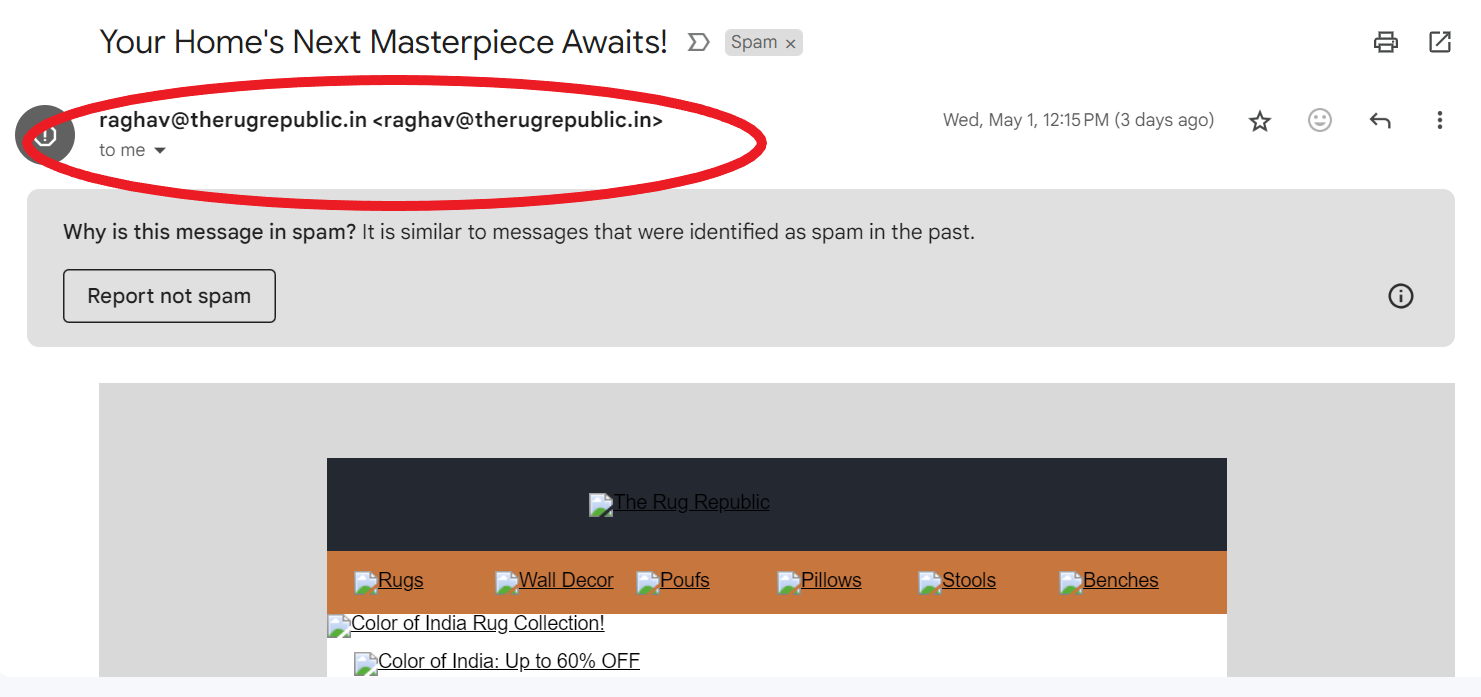
SS from personal Gmail account
Yes, the domain name has the brand’s name, but it has not been customized right and uses a person’s name, making it look suspicious. So, if you want to boost your professional image, you need to get a branded email for your business.
5. A Branded Email Gets You Instant Cred with Customers and Builds Trust as Well as Goodwill
Think about it: when you see a business using a free email account, what’s your first impression? You often question the business’ authenticity and reliability, right? You might even wonder about its security if it’s not willing to invest in a small monthly fee for a professional email account—all valid points!
The thing is, in the online world, trust is EVERYTHING. A company’s reliability often comes down to how professional it is and the actions its taking to keep the business secure. Getting a branded email removes doubt from the customer’s mind and gives your business the virtual credibility it deserves—there’s no room for second-guessing!
Take for instance, the following email from the FairPrice Group. The business email is the brand’s name, and the ID even has a domain location extension:
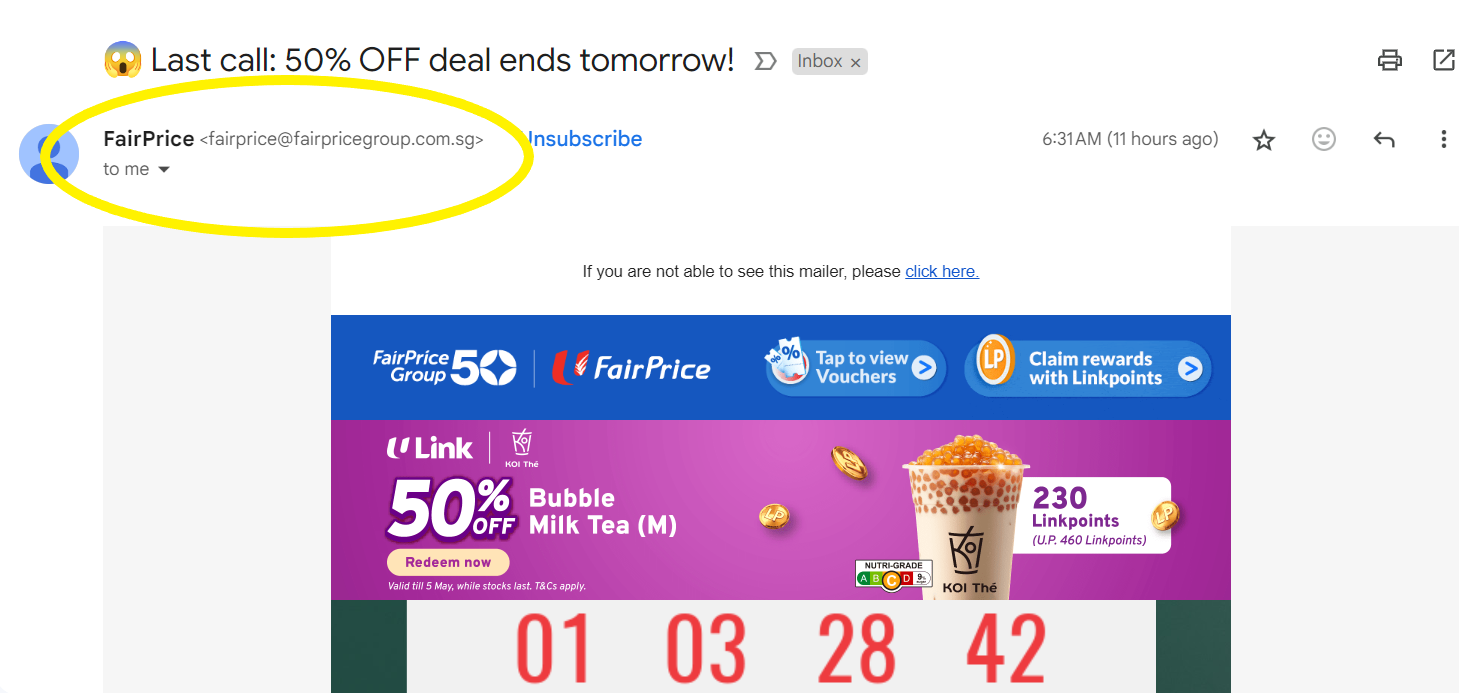
SS from personal Gmail account
6. A Branded Email Saves You Valuable Time
Entrepreneurs understand that time is the new currency. Any task that helps them save time must be prioritized, and one such strategy is integrating your email when you buy your company’s web address. Since they both will have (or at least should have) the same domain name, it makes sense to use one service provider for both.
The same platform that you use for your website can also be used to manage your email. As you are able to manage your website and email address in one place, you can save time and focus on other problem-solving tasks. You can say goodbye to juggling between tools, platforms, and logins every day.
7. A Branded Email Lets Your Brand Shine
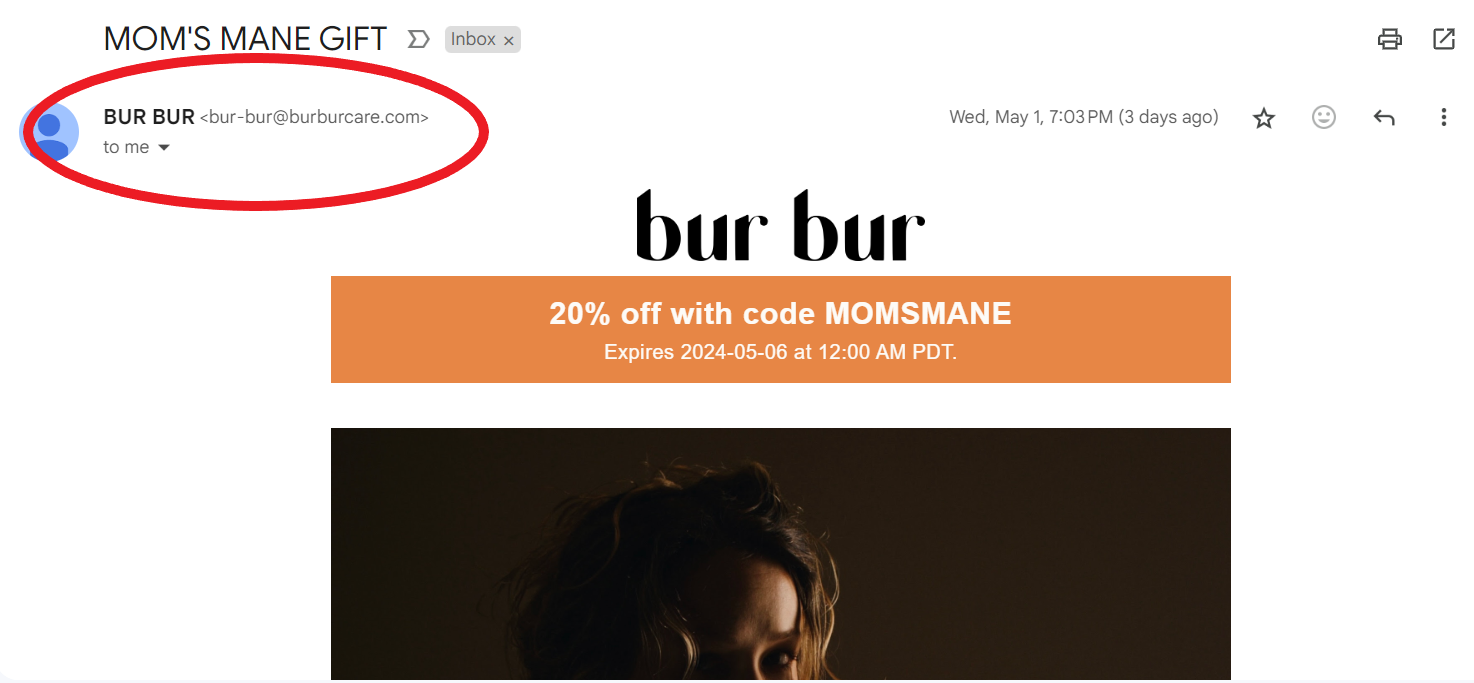
If you present yourself professionally in emails, your brand will shine. For instance, Bur Bur’s emails are as polished and professional as it gets:
SS from personal Gmail account
So, instead of using a free email account, which can lower the perceived value of your brand, send personalized, on-brand emails, as Bur Bur demonstrates above.
Remember, having a distinct brand in your emails makes you stand out and demonstrates your commitment to maintaining a professional image.Customers will relate to your brand more the more they interact with your emails. After all, it’s precisely this familiarity that gradually increases consumer spending on items by fostering brand trust.
8. A Branded Email’s Chances of Landing up in Spam Is Low
Consider this: You’ve discovered a possible client who you would like working with. With your free email account, you’ve been attempting to contact them, but you’re getting no response. You start to question whether your emails are really being received after making multiple efforts.
It turns out that instead of arriving in their mailbox, your emails were being filtered as spam. Unfortunately, because you used a personal email to contact with clients, your potential customer has already gone on to your competition while you were working this out.
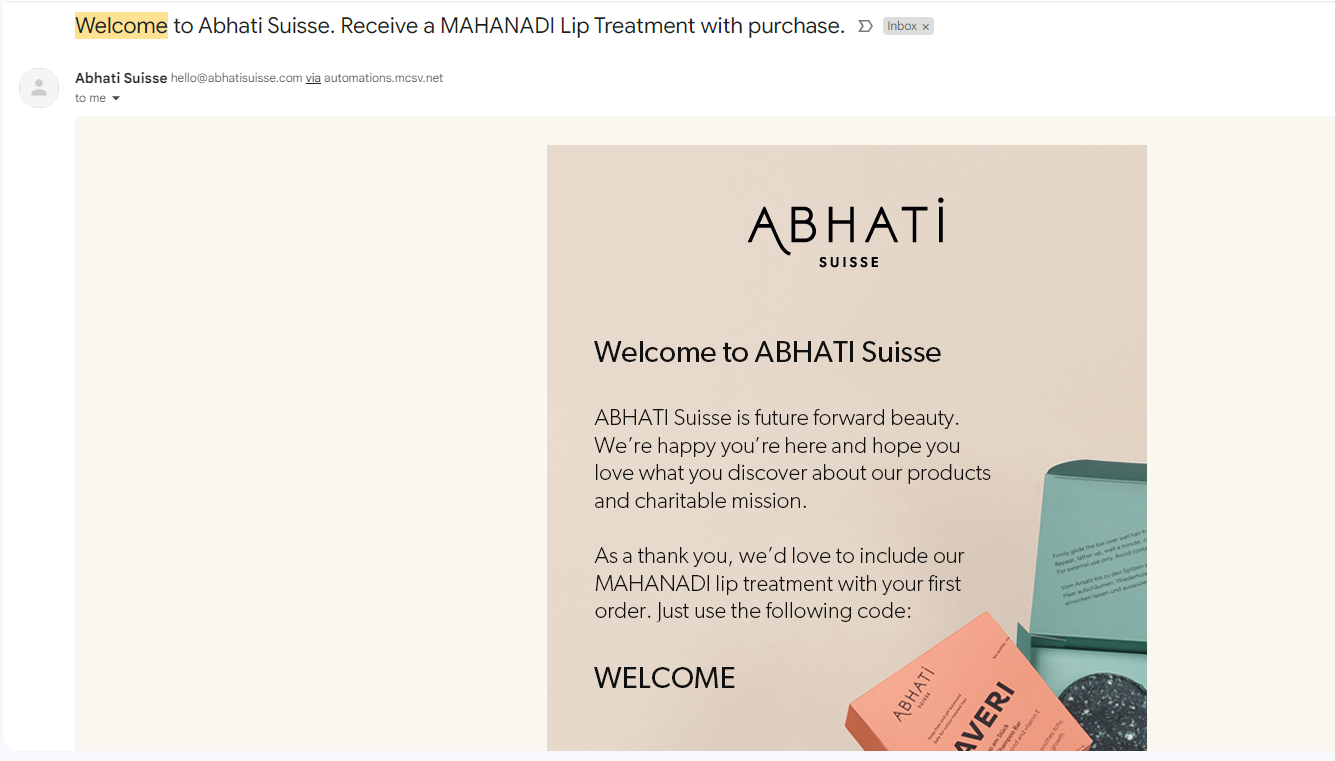
Expert advice: As Abhati Suisse illustrates below, you need to write a fantastic welcome email to prevent your emails from being tagged as spam.
SS from personal Gmail account
Even in the virtual world, first impressions can be last impressions. So, get your team together and create a compelling welcome email. You can include personalized freebies, gifts, and grateful messaging to get your first-time customers interested and engaged.
9. It Allows You to Scale Your Online Business Easily
Are you considering hiring new staff or do you already have workers in several departments? You are in danger if you are utilising a free email address for your company, as most of them only permit one user per account.
On the other hand, you can simply establish and manage an infinite number of email accounts when your company has a branded email address.This implies you can create email accounts based on the names of your employees or their positions inside the firm.
Mail forwarding, email aliases, auto-responders, and mailing lists are further advantages. Stated differently, owning your own domain allows you to customise a sender address that fits your brand, which opens up all the possibilities of email marketing for your company.
10. It Offers 24×7 Tech Support from the Email Provider
Having your own company email account allows you to have IT assistance available to you whenever you need it.
To help you with problems, your email hosting company will offer email, chat, and phone assistance.Knowing that your data is backed up on their secure servers allows you to unwind.
Along with a 99.9% uptime guarantee, the organisation probably offers a community forum, video tutorials, and articles to assist you in troubleshooting issues of all shapes and sizes. It’s several advantages combined into a single, tidy email!
11. A Branded Email Guarantees Your Business Name to Be Included in Most Cases
If you’re using a free email account, you might find that your business name is generally unavailable. This is largely due to the popularity of email, which started way back in the 90s. As we saw, billions of email addresses are already in use. This makes it very difficult to get a free email address that uses your company name.
As a compromise, you might be tempted to include your company name and additional characters or numbers in your email address. This is a big mistake since it makes your email appear amateurish and inconsistent with the tone of your brand.You can use the preferred name by selecting your own domain and email address.
11 Tips for Using a Branded Email Address for Your Business
When you’re setting up a business, you have a long laundry list of items to take care of. Often, creating a professional business email takes a backseat when there’s too much on the plate. But it doesn’t have to be this way.
With a few tricks up your sleeve, you can create what we would brand as a professionally branded email address for your business. Read on:
1. Name It Right
People want and expect your business name to be the email address. Anything else feels weird or, worse, unrelatable.
Plus, it’s easier for customers to remember your business name than your name (if you choose to use the latter for your email). Even if the business is your side hustle, it’s critical to put up a professional front and that starts with using a branded email for your business.
2. Make the Branded Email Name Memorable
Your email address should be easy to remember and must reflect your brand’s USP/offering. Try using simple, every day words and avoid using numbers and special characters to the extent possible.
3. Use Subdomains for Departments
If you have different departments, consider using subdomains for their email addresses (for example: [email protected], [email protected], and so on). This way, you can organize emails and streamline communication easily.
4. Don’t Skimp on Costs for an Email Service Provider
Your emails are a vital component of your marketing, whether you’re just beginning the entrepreneurial journey or are scaling up. Our suggestion? Invest in an experienced email service provider who will help take your online presence off the ground with the right website and complementary email services. We understand that while free options exist, nothing compares to the features and support that paid services offer.
5. Relook at Your Email Signature and Ask – Is It Catchy Enough?
Your email signature is your digital business card. If it’s customized, you’re wasting valuable email real estate.
So, make sure to add your name, position, role, and contact information. You must also add a link to your website and include direct links to your social media handles. If your brand personality allows, make your email signatures catchy!
6. Use Email Filters to Your Advantage
Set up filters to automatically sort incoming emails into folders based on criteria such as sender, subject, and keywords. This will help you prioritize and manage your inbox more effectively without letting you waste time browsing through hundreds of emails every single day.
7. Implement Two-Factor Authentication
As a thumb rule, protect your email account from unauthorized access by enabling two-factor authentication. This step is crucial for adding an extra layer of security as it requires the customer to verify a second time with a code sent to their phone.
8. Schedule Emails for Optimal Timing
Use an email scheduling tool to send emails at the most effective times. As per data, the best time to send an email is generally during breakfast, at lunchtime, or early evening:
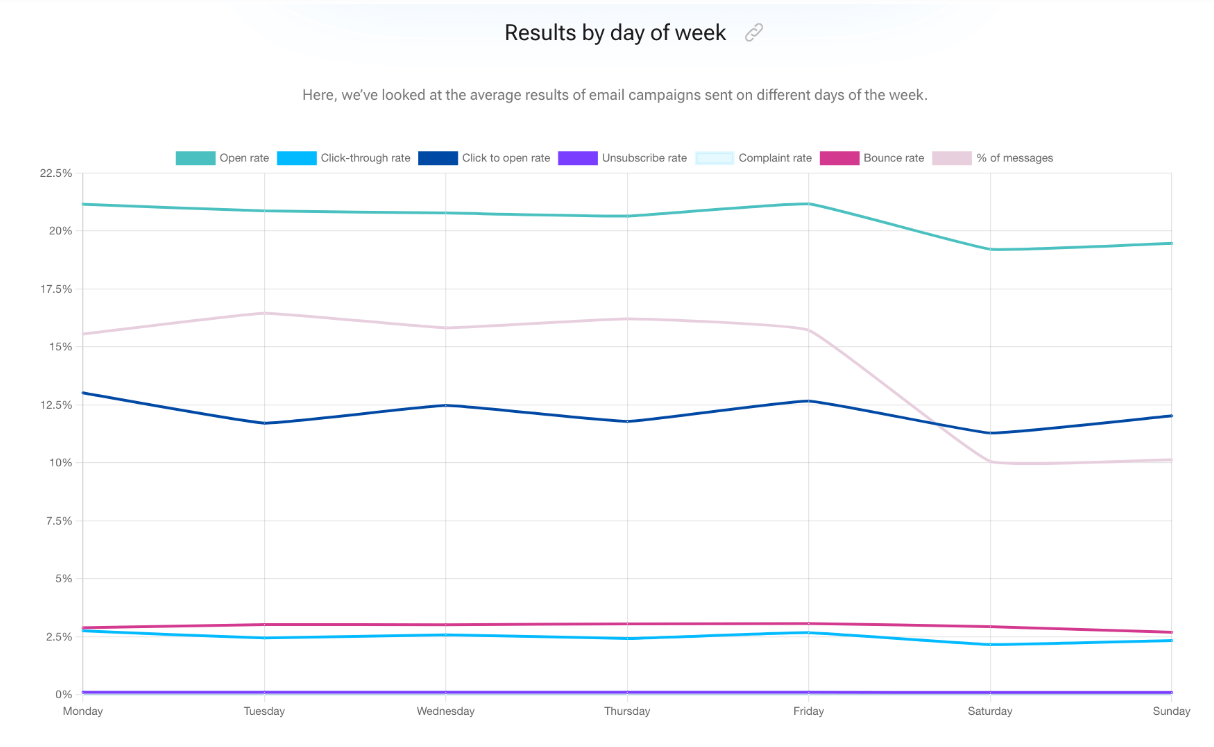
In terms of the best “days,” emails sent on a Friday are slightly higher than other days, and emails sent on weekends have the worst open rates:
Note: This will vary according to your industry, product type, and customer needs. However, you must track your email’s open and click-through rates to understand when it has a higher chance of being opened and read.
9. Personalize Automated Responses
If you use autoresponders for out-of-office messages and/or customer inquiries, you must personalize them with the recipient’s name and insert specific details related to their inquiry. If customers sense your emails to be robotic and templated, your emails will likely end up being trashed.
10. Monitor email analytics routinely
Pay attention to important metrics, such as email open rates, click-through rates, etc., to understand how well your email campaigns are working. Sending email after email without studying KPI-related data will not get you the results you need.
11. Use Email Encryption
Customers want their information to be protected at all costs. Period. As a customer-first brand, deploy the necessary measures in place and protect sensitive information in your emails by using email encryption. The idea is to ensure only the intended recipient reads the content of the email.
Supercharge Your Online Presence with Business Email Hosting from BigRock
There you go. By now, you know that a branded email is just as important in the early stages of business as it is in the later ones. And that the advantages of a business email far outweigh the costs that come with it.
So, if you are worried about the “tech” side of things that is required to set up a business email address, consider partnering with a business email hosting provider like BigRock.
We will create a custom domain email address for your business and work on the technicalities so that you don’t have to. We have three business email hosting plans for you to choose from: business email, enterprise email, and Google Workspace.
Plus, our business email hosting service offers the following benefits:
- Custom domain: Upgrade your existing email to [email protected] without any hassle.
- 24X7 support: Connect with the team anytime, anywhere, and manage your emails on the go.
- Spam filtering: Leverage our advanced built-in continuous spam filtering feature and declutter your inbox to concentrate on emails that matter and enjoy a seamless email experience.
- Ad-free webmail: Avoid distractions and enjoy ad-free webmail for uninterrupted work.
With a seasoned business email hosting provider, setting up a branded email is not hard or expensive. Connect with the BigRock team to know more!
FAQs
1. Is there a limit to the number of messages I can send?
Generally speaking, most email hosting platforms don’t have any daily sending limits, particularly for standard business communications. However, there is a cap on the recipient limit for outbound messages to prevent abuse and control mail queues.
2. How does business email hosting work?
Email hosting empowers you to create a business email account using your own domain name, such as [email protected], instead of using the domain name of the email service provider, like [email protected]. The end goal is to make your brand look more professional, branded, and trustworthy for your email communication.
3. Do you need hosting for email to work?
You can get a professional email address even if you don’t have a website. You don’t always need web hosting, either. But if you decide to use email hosting, you’ll need to have a domain name. Once you’ve got your domain name, you just have to connect it to your web or email hosting.
4. Do I need to buy email hosting?
Here’s the deal: If you’re building a website but don’t need an email address with the same custom domain name, all you need is web hosting. This makes your website functional and accessible online. However, if you just want to use and manage email accounts, then all you need is email hosting.
5. Does shared web hosting include email hosting as well?
When you get a shared web hosting plan, you usually get email service along with it. This service supports your domain and website. With web hosting, you can easily manage your domain names, email settings, inboxes, and anti-spam features from one control panel. However, email hosting plans don’t include support for a web server.










