Knowledge Base
Categories: WordPress_Hosting_Retail
How do I install or delete a blog?
You can follow the steps below to manage your blogs from the WordPress Hosting control panel.
Install a new blog:
Step 1: Log in to your WordPress Hosting control panel.
Step 2: Install a new Blog.
-
Click on Install New Blog.
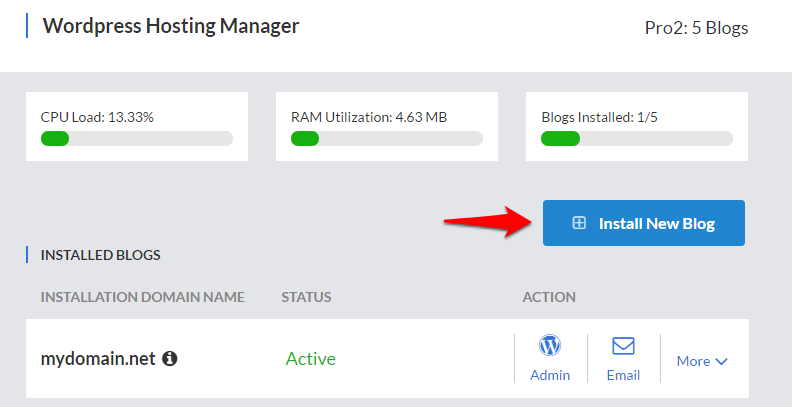 Enter the details for the blog and click on Add Blog.
Delete a Blog:
Step 1: Log in to your Wordpress Hosting control panel.
Step 2: Delete the Blog.
-
Click on Delete next to the blog you wish to delete.
Click on Confirm Deletion Request to confirm the deletion.
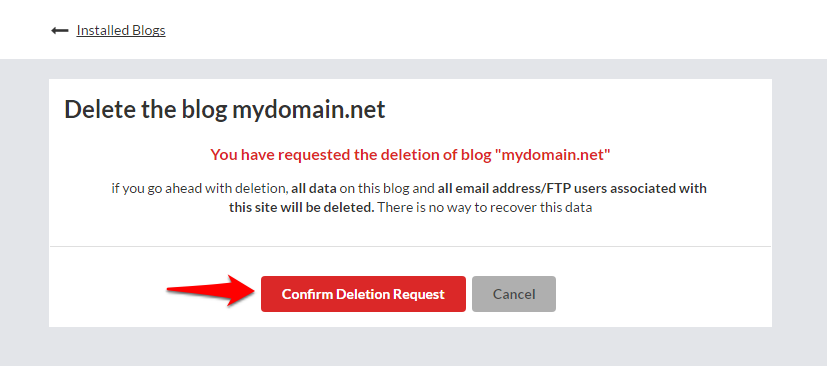 Enter “yes” in the following text box and click on Confirm Deletion Request to complete the deletion.
Did you find this article helpful?